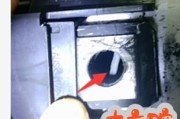
Remove the transport fixing screws of the scanner's scanning head, remove all the packaging materials and protective tape of the host, remove the seal of the powder bin, remove all the protective materials of the photosensitive drum assembly, install the photosensitive drum assembly, turn on the power supply (there are two power switches: main power supply.....
HP A3 series black and white model maintenance menu video operation, suitable for experienced operators, novice is not easy to understand * * * * this content is hidden by the author * * * *, Ricoh maintenance video, Ricoh copier maintenance...
HP new A3 black and white model repair menu, operation video * * * * This content is hidden by the author * * *, Ricoh repair video, Ricoh copier repair ..
The steps for replacing the developing unit of HP's new A3 series laser all-in-one machine E7 and E8 series are as follows: - E7 and E8 series new A3 laser all-in-one machines, like M436, use carrier imaging technology in the imaging part. The difference is that E7
The following steps must be done and cannot be ignored!!!!! After the replacement is completed, open the front door and turn on the device. When prompted on the screen, select Developer Unit Information>
HP/HP E77822, E77825, E77830 Color Laser Integrated Machine Chinese Maintenance Manual Language: Chinese Pages: 1550 The light generated by the laser can create a latent image on the surface of the photosensitive drum through discharge. Carrying a negative charge ..