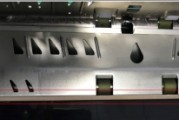
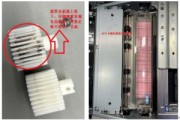
Symptom: Poor print quality on the Pro8200S, with adhesive overflow from the labels causing a paper jam (J036). Reason: After the adhesive is fixed, the front end is bent downward and there is overflow glue. The overflow glue sticks to an iron plate at the exit, causing paper jam J...
Symptom: When using the second paper box of the 8210 machine host, there is frequent paper jam with codes such as J102, while the paper boxes of the other two hosts are functioning normally. Ask the customer to check that the paper roller and paper path are functioning properly. After arriving at the door, observe on site. After the cardboard box is pushed in, rub the paper wheel ..
Symptom: The customer has been frequently experiencing paper jams and reporting error J040 recently. The cause of the paper jam is shown in the picture. Upon inspection, it was found that the separation claw, sensor, and motor are all normal, but still stuck. After careful inspection of the paper path, it was found that the position shown in the picture was damaged, causing the paper to deviate ..
Symptoms: 8 series black-and-white machines intermittently report paper jams J031 and J082 during printing. Reason: J031: The gear of the moving roller of the alignment unit is worn; J082 PTB drive roller sleeve stuck; Solution: On-site inspection...
Symptoms: The reason why the customer prints the die-cut copper plate adhesive paper is dirty: when arriving at the scene, it is observed that there is a slight black block near the end of the paper, and each one has it. According to experience, this situation may be caused by the cleaning scraper. Check the drum cleaning unit...
Symptom: Customer feedback shows that the printed barcode is not accurate, the pattern appears white, and the barcode level can only reach D level when tested with instruments. Reason: This customer uses the 8210 machine to print only adhesive barcodes and does not print regular paper. The machine has a print run of 3.1 million ..
Symptom: Error SC488 According to the repair manual, the reason for the error SC488 reported by PRO 8100 is due to blockage in the waste toner transport (the waste toner transport path is blocked and not working). Reason: After removing the waste toner tube assembly, clean it ..
Symptoms Recently, the customer reported that there were stripes on the back of the print. After the customer replaced it for two turns, the print was about 150000, and the scraper was not clean again for two turns. The reason is to check the second turn on the printer and the previously replaced second turn unit, and it is found that the customer...
Symptom: Machine A4 has accumulated 13 million prints. After each continuous printing job is completed, it reports error SC720-72; however, the machine can continue printing. reason: according to the maintenance manual guidelines to find mobile paper tray flush motor components,...
Symptoms: PRO 8200S Printing Preprinted Paper Has Dirty Traces Reason: Caused by Error in Calling Paper Library, Change to Manual Setting, Paper Type Regenerated Paper. Solution: The customer described that the failure occurred suddenly and tried to replace all imaging departments...