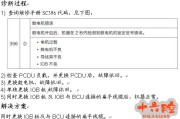
When the machine encounters continuous rainy weather or has not been used for a long time, the code sc440 will be reported during use, and the code 440 will be reported during use after shutdown and startup. For this fault phenomenon, only the first and second items of the 2301 need to be reported...
A4 is normal, A3 tail end paper wrinkles frequently and high, check that there is an image at the wrinkle position to judge the fixing crepe paper, first replace the new paper is invalid, then clean the fixing inlet guide board, adjust the position is invalid, finally adjust the motor speed to Sp1801-44 ~ 4...
Ricoh MP7502,c6502 add languages Chinese, English, other national languages, 7502 series, 4002 series, 6502 series and other models phenomenon: the machine only has Chinese and English to choose from, no other national languages...
SC876,SC870 appears after the machine is turned on and cannot enter the copy ready state. measures: 1: check the copier hdd, use SP5-832-001 format hdd, can successfully initialize, but can not cancel...
Black and white multi-function machine: Aficio MP4002SP/5002SP Q: How does Aficio MP4002SP scan non-standard small-size originals on the platen? The previous model did not do the original setting,...
After 2-3,000 copies of a new MP4002SP machine were installed, the following malfunctions occurred. ADF copied and scanned all-white originals with a little bottom ash in the middle of the copy. If it is a manuscript with images, the first piece of white paper will be produced, followed by the second piece...
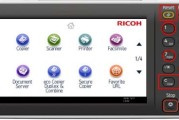
Symptoms The device cannot enter service mode after the interface has been updated. The reason is that the equipment interface and buttons have been changed, and the way to enter the maintenance mode is somewhat different from before. solution * * * * this content is hidden by the author * * * ...,...
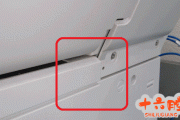
[Symptom] When copying A3 paper, wrinkles occur. (A3 is placed in paper tray 4; this issue occurs 100% of the time.) [Cause] The right cover panel on the back of the paper tray is not securely closed. See the figure below. [Solution] Close the right cover of the paper tray securely. See the figure below....