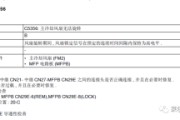
Recently, there have been frequent prompts for code 5356 on the Konica Minolta Bizhub 287 series composite machines. Currently, more than 10 machines on site have been displaying the corresponding code. After multiple on-site tests and inspections by our company, the following is a summary ..
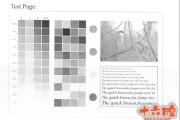
Recently, Konica Minolta Bizhub 287 series multi-function machines have frequently suffered from weak printing. At present, more than 5 machines have experienced corresponding failures on site. As the parts involved are consumable manufacturers without warranty, our company has passed through the site...
Fault phenomenon: When setting up USB scanning and printing, it was found that there was no Box setting option in administrator mode. 287: (No Box setting option) C368: (There is a Box setting option) Reason: Function version reason. On site measures: 1 At first ..
Bizhub 367/287/227/7536/7528/7522 (black at the front end of the first printed piece of power-on)) every time power-on, the first piece of power-on will appear black at the front end. The effect of the second one is normal. Original...
[Description] (Copy and print are almost blank, TCR value is always 0, machine does not add powder, manual TCR powder failure is still) phenomenon) 1. Check the TCR-K value is always 0.2 through maintenance mode status confirmation-level history 1...
Resolved Issues 1.* Solutions for all issues with GCF-Y0 or earlier versions are included in this firmware. (Changed the GCF-Y0 version and installed in the product.) 2.4. Customization This firmware supports the following customizations....
Problem solved: When accessing external SharePoint from a web browser, the print/preview/save icon is not displayed. [INC000000041137/ESC0007720] 2. Possible accidents may occur ..
Problem Fused After restoring data using the backup utility, "Please reset the encryption word or reformat the storage" may appear ". [INC000000034904/PBM-00000051] in sending and receiving transmission...
Problem: Frequent failure prompts "Internal error occurs, the system will restart and clear the error" during use. After the machine restarts, the display is normal, but the problem occurs frequently. Enter the maintenance mode-counter-maintenance call history data menu and find records...