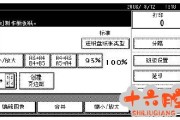
A 5054 machine, the first tray of A4 paper prints and copies normally, and the second tray of A3 paper. Pressing the copy button causes a paper feeding action, followed by a noise. The paper is fed a little and shows a paper jam. The initial diagnosis was that the paper roller was stuck, but the fault persisted after replacement, so it had to be replaced ..
On paper types such as envelopes that print to the paper input tray, you must select the paper type. 1: first select the "input tray paper type" item on the operation panel; 2: select the "special paper" item; 3: press the "change settings" item; 4: respectively...
Symptoms: The paper tray often jams paper. There is a paper rubbing action when the paper jams. The paper head has marks of paper rubbing but does not reach the paper. On-site implementation measures: 1. Replace the paper roller and it is invalid; 2, replace the paper sensor, invalid; 3, replace the carton, invalid; 4. Dismantling....
Model: C75 Topic: C75 Failure to Print Custom Paper DemoRoom Test, Found that Custom Paper in C75 Cannot Print, CWS Error: Corresponding Paper Needs to be Placed. The solution process is created in UI...
Xerox V2100 with Fiery's automatic carton switching setting for IOT caused DFE printing to report an error 1. V2100 customers reported that when the Fiery server submitted a job, if the paper in the job attribute was...