
|
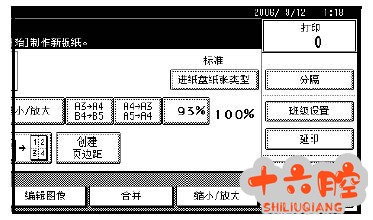
When printing on envelopes or other types of paper loaded in the paper tray, you must select the appropriate paper type. 1: First select the "Paper Type in the Paper Tray" item on the operation panel;
2: Select "Special Paper; 3: Press the "Change Settings" item; 4: Select "General/Medium/High" in the "Paper jam" item and "Re-feed" item respectively "; 5: Press "OK"; 6: Place the envelope in the paper feed tray as directed.
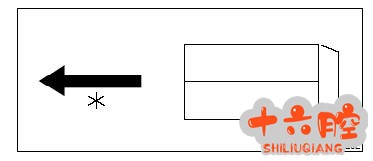
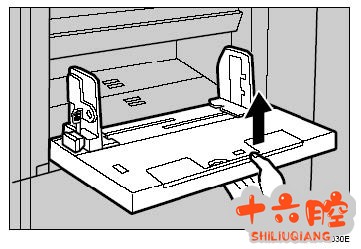
"*": indicates paper feed direction 7: Note: If you use envelopes, the capacity of the paper feed tray is about 150 sheets (85g/m2, 22 lb) or can stack 105mm high paper stacks; 8: If the envelope is not placed, you can gently lift the paper feed tray, and then put it down to tilt it slightly;
|
Address of this article:https://073868.com/post/2944.html
Copyright Notice:
For relevant infringements, reports, complaints and suggestions, please send E-mail:weixiuwang68@qq.com
Tags: #Envelope #Printing #HQ9000 #Paper tray #Special Paper







