Question: The copier is connected to a router that is connected to the local area network. The router has partially forwarded the ports, and the Win system can print within the local area network. However, after the domestic system prints, the machine displays data errors. I would like to know what is used by Tongxin and Kirin for printing ..
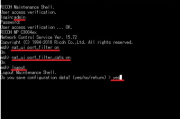
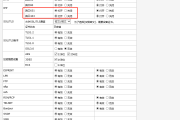
Symptoms When the customer scanned the network for security, he found that Ricoh MFP machine had opened the 2049 port, but the relevant settings were not found in the Web page of the machine. maintenance process in intelligent panel with mfp controller communication when using a number of end...
Cause of the problem: This failure is due to the driver failure that occurred after the upgrade of Microsoft's system (mostly due to the driver that Microsoft automatically added when the customer installed the driver). It is not only Ricoh brand that has occurred, but also other copier brands that have similar occurrences...
Direct connection to computer failed. The CPU board encountered an error while processing network port data (program), resulting in the network port not being recognized. [Addendum] * * * * This content is hidden by the author * * * Repair case, Ricoh copier maintenance ..
Symptoms When the customer scanned the network for security, he found that Ricoh MFP machine had opened the 10021 port, but the relevant settings were not found in the Web page of the machine. maintenance process 1. confirmed 10021 port is Web Smart...