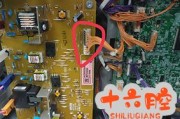
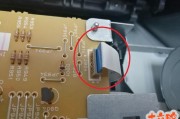
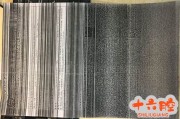
Symptom: Machine MP2555SP fixing sleeve belt is worn and reports fault code SC544-01; After replacing the fixing sleeve according to the operating procedure, the machine fault code SC544-01 still cannot be eliminated, and the machine does not self check. Original ..
Fault description: The printer can be turned on and ready. I tried to test the task, but after running for a while, there was no paper action. The task in the computer also disappeared, and there were no error messages or feedback from the computer Solution process: Repair LJ1020 printing ..
iR-ADV C5535/5540/5550/5560 [Failure Phenomena] After the machine is turned on, the energy-saving lamp will be on, the power lamp will flash, and the screen will not display. After a while, the machine will restart automatically, and the fault phenomenon will remain unchanged. [Cause of failure...
Applicable product series: iR C3025/3020 [fault phenomenon] boot prompt "close the right cover of the host". **** This content has been hidden by the author ****, repair cases, Ricoh copier repairs...
Symptoms MC 2000 does not respond when it is turned on, the screen is not bright, and the machine does not have any reason for action 1. Power board failure 2.SOP screen failure 3.BICU board failure 4. Controller board failure measures 1. Replace the power board, the failure is still...
Applicable product series: iR-ADV DX C3720/3725/3730 [Failure Phenomenon] After the new installation is turned on, prompt the fixing component is not detected. [Cause of Failure] Poor Main Power Supply Board [Maintenance Measures] Replace New Main Power Supply...
Suitable products: M126, M128. Fault description: No power supply when turned on, and the control panel switch does not light up when plugged in. Processing steps: 1 Firstly, ensure that the connections on the motherboard and power board are properly connected, and then re plug and unplug the connections on the motherboard and power board
Machine model: M128 Repair process: The user sent a M128 printer for repair, and the fault was black shadow printing (see the fault sample). The user's machine was found to be non original consumables, and considering the high probability of this malfunction, the consumables were replaced with original ones ..
Fault description: the user sent to repair a P1606dn printer, the fault is to print all black. Fault analysis: first of all, it is invalid to try to replace the toner cartridge, so try to print the test page of the engine page, and the printed page is all black, so the engineer judges it to be the power board...
LJ 128fn startup error scanner error 13, the machine cannot print, copy, or scan. When performing the printing action, a "calibration in progress" message will flash and the machine will not take any action. Troubleshooting process: 1. Scan the components based on the error code ..