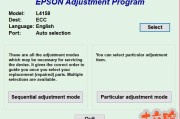
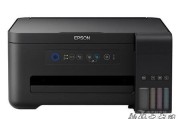
Epson L4158 waste ink reset software, cracked version—no computer binding required; can be used on any PC. Download and test it yourself. L4168 should also be able to be reset to zero; no testing has been performed. **** This content has been hidden by the author ****...
Epson L1800 Zeroing Software is a zeroing software designed for printers with the same name. As we all know, if the printer reaches the end of its lifespan, it will need to be zeroed. At this time, the zeroing software is needed to replace the toner and it can be used normally. ...
[*] Under what circumstances does it need to be reset to zero? The printer's dual lights alternate flashing, and the driver prompts: The waste ink collection pad during printing has reached its service life. Please contact the Epson certification service agency. This means that the printer's waste ink bin counter is full and needs to be reset to zero. dear,. ..
Clear software instructions step 1: first let the printer enter the maintenance mode to enter the maintenance mode method is: 1, to ensure that the printer power switch is off, first press the [cancel/stop] key, and then press the [power switch] key. (Two...
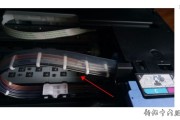
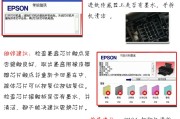
Canon G2800 G3800 G1800 G4800 Clear Software The printing effect is very poor after the ink tube of the printer is supplied with no ink. There are two reasons: 1 The printing effect is not good after the ink is dried, only to find that the ink is not available...
Step 1: First, put the printer into maintenance mode. To enter maintenance mode: 1. Ensure the printer’s power switch is off. Press the [Cancel/Stop] button first, then immediately press the [Power] button. (Don't release both buttons...
Please cancel the printing task before the L4158L4168 inkjet printer all-in-one clearing software uses the graphic clearing. The printer is connected to the computer with a USB cable and turns on EPSON L4156 L4165 L4166 L416...