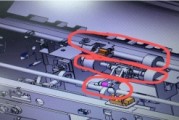
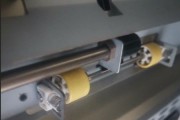
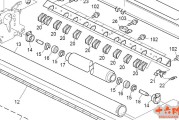
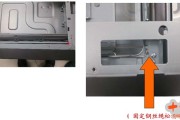
Symptom: PRO 8110S large paper box, single-sided and double-sided. The first side is skewed, and the second side is normal. Reason: 1. Measure the paper size to confirm that the paper itself is not skewed. 2. Use standard A3 paper to pack it in the machine. 2. Test the double-sided of the paper box and it is normal. 3
Symptoms: J050 Jam when Pro 8100 prints A4 paper Cause: 1. J050 Jam occurs when 8100 prints A4 paper. Refer to the maintenance manual and learn that J050 Jam means moving...
Trouble phenomenon: the glass of the manuscript table is copying normally, the printing is normal, and the copy is slightly skewed (the vertical line is unbalanced with the edge of the paper) when using the manuscript feeder to copy. the maintenance process: 1. the side rail board is invalid 2. the paper wheel of the manuscript feeder is invalid 3. try to adjust the delivery...
The adjustment method [description] of scanning skew will occur irregularly when scanning with DF-629 document feeder in Ke Mei bizhub C368/C308 [description] when scanning with DF-629 document feeder, scanning skew will occur irregularly...
Symptom 1: One M2701 has a problem of skewed DF scanning and copying of printed materials, but the copying and scanning on the manuscript table are normal; Possible reasons: DF defect/DF exposure glass defect Repair process 1 On site inspection of the fault phenomenon, confirmed by scanning the manuscript table ..
Symptoms include skewed and wrinkled paper after fixation (paper with a length less than 1189MM is more pronounced). The reason is that the bushing on one side of the fixing roller is damaged, resulting in uneven pressure on the left and right sides of the fixing roller, causing the paper to tilt and wrinkle. (See component 14 in the following picture, zero...)
Symptoms: When using the document table and document feeder to make copies, the copies are crooked. (When the first and second paper boxes and the hand feeder feed the paper) A4 long side paper is fed, and printing is normal. The diagnostic process was normal during printing, and no image distortion was found, indicating that the problem has occurred ..
Symptom 1: Alignment movement occurs in the main scanning direction. 2. The paper is skewed around the alignment roller. ****This content is hidden by the author due to the large gap between the rod hole and the shaft, resulting in insufficient gap between the alignment timing roller and the pressure roller. ...