All other models that may be affected use Fiery servers with Windows 7 system, such as EX1000, EXJ75, EX-2100, EX-P 2100, etc. Problem description: Com
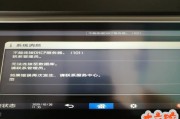
Symptom: When the IMC2500 is turned on, it shows that it cannot connect to the database. Fault sample photo: Fault cause: The machine is set to PaaS mode and cannot connect to the print server of Haoxiangyin. The machine prompts an error message. Solution ***** ..
Overview of Fiery Server Based on Windows 7 System with Dual Network Cards: This article describes the solution to occasional IP address confusion when running a Fiery server with two modules under Windows 7. Detailed ..
The solution to the problem of Xerox EFI Fiery Server being unable to recover the system is a standalone server. This content is hidden by the author and includes a repair case ..
All Fiery independent server contents: If you find that the packaging of the server motherboard only includes the motherboard and dongle, without a boot disc, please follow the steps below to activate the motherboard. Most newly ordered motherboards now do not come with a guiding light ..
Model: Fiery Backpack Server Theme: Backpack Server Cannot Start up Fault Phenomenon: After the IOT host is turned on, the backpack server is powered on, and the LED indicator code on the chassis runs to 2A, then it directly jumps FF and shuts down, without reaching the 00 state ..
Model: EFI Server Theme: Printing of low-quality JPEG images with poor image quality. When printing low-quality JPEG images, patches appear in the grayscale (or near grayscale) areas of the image. Solution process * * * * This content has been created ..