
|
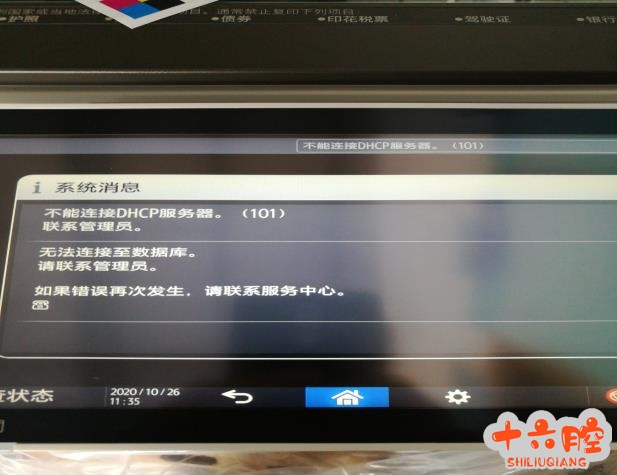
Symptoms An IMC2500 shows that it cannot connect to the database when turned on. Fault sample photo:
Cause of the failure: The machine is set to PaaS mode and cannot connect to the print server of Haoxiangyin. The machine prompts an error message. Solution 1. Upon checking SP5-760-001 (PaaS mode), it was found that the value was "1", indicating that this machine is set to PaaS mode. Changing the machine back to normal mode can solve this problem. 2. Execute SP5-760-024 (enter normal mode) Click [Execute], restart the machine and check SP5-760-001 (PaaS mode). The value was found to be "0", and the machine was restored to normal mode. The fault was resolved. Note: This feature switches the device back to the state before registering for PaaS and after logging out of PaaS. After registering for PaaS, it is not possible to log out in SP5-760-024 (entering normal mode). Need to cancel through SP5-760-010 (cancellation). |
Address of this article:https://073868.com/post/3032.html
Copyright Notice:
For relevant infringements, reports, complaints and suggestions, please send E-mail:weixiuwang68@qq.com






