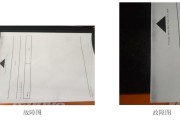
fault phenomenon: machine output after dozens of copies, the concentration of the faded please discuss the above fault reasons? fault analysis and results: * * * * this content is hidden by the author * * * * ..., maintenance case, Ricoh copier maintenance...
Ricoh MP5500 series is printed with black bottom and covered with text (as shown in the figure below). The preliminary judgment of the effect after solution is as follows: 1. Charging rack 2, toner cartridge 3, memory module 4 and laser were replaced with charging rack first. The problem is still the same...
After copying 2-3 documents with the machine, the printed copies are backed by dust on one side of the machine, as shown in the following figure: Reason: Poor charging roller; Poor high-voltage board; The developing magnetic roller is defective. ****This content is hidden by the author * * * .. Ricoh/Basic ..
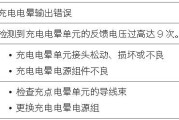
During the copying process of Ricoh MP650375039003SP, report code SC300-001 and MP6503SP maintenance manual. The reference solution for SC300-00 code is shown in Table 2. Follow the above table ..
The SC300-00 code occasionally appears on the machine during maintenance process 1. The machine is functioning normally when turned on, but the SC300-00 code occasionally appears, sometimes during startup and sometimes during the copying process; 2. Replace and charge first ..