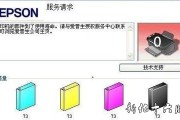
1. Under what circumstances is a reset required? If the printer’s two indicator lights are flashing alternately and the driver displays the message “The waste ink collection pad has reached its service life; please contact an Epson-certified service center,” this indicates that the printer’s waste ink counter has reached its maximum count and needs to be reset. Kiss, as long...
Clear software instructions step 1: first let the printer enter the maintenance mode to enter the maintenance mode method is: 1, to ensure that the printer power switch is off, first press the [cancel/stop] key, and then press the [power switch] key. (Two...
Clear software instructions step 1: first let the printer enter the maintenance mode to enter the maintenance mode method is: 1, to ensure that the printer power switch is off, first press the [cancel/stop] key, and then press the [power switch] key. (Two...
The following models of reset software all have reset software instructions. Step 1: First, put the printer into maintenance mode. The method to enter maintenance mode is: 1. Ensure that the printer power switch is turned off, press the [Cancel/Stop] button first, and then press the [...]
Clear software instructions step 1: first let the printer enter the maintenance mode to enter the maintenance mode method is: 1, to ensure that the printer power switch is off, first press the [cancel/stop] key, and then press the [power switch] key. (Two...
Canon G2800 G3800 G1800 G4800 Clear Software The printing effect is very poor after the ink tube of the printer is supplied with no ink. There are two reasons: 1 The printing effect is not good after the ink is dried, only to find that the ink is not available...
Step 1: First, put the printer into maintenance mode. To enter maintenance mode: 1. Ensure the printer’s power switch is off. Press the [Cancel/Stop] button first, then immediately press the [Power] button. (Don't release both buttons...
Please cancel the printing task before the L4158L4168 inkjet printer all-in-one clearing software uses the graphic clearing. The printer is connected to the computer with a USB cable and turns on EPSON L4156 L4165 L4166 L416...