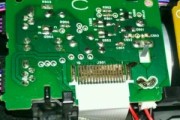
Fault description: Power on self-test error 50.3 Handling process: 1 Firstly, check if the motor control board is installed properly and if there are any abnormalities If the motor control board is installed properly and there are no abnormalities, try replacing the heating component 3 If replacing the heating component ..
Fault description: After replacing the motherboard spare parts for M226, the panel prompts: Ready 2 Download, unable to be ready and printing process: 1 Download the rewritten file from FTP and copy the compressed file to a directory on the hard drive. ...
Fault description: Screen flickering during M226 self-test [*] Handling process: 1 Firstly, observe which step of the screen burn-in occurs during the self-test process, and start the screen display to be normal. It means it's not a problem with the LCD screen. Next, wait until the screen is ready to appear ..
Fault description: Power on self-test error 58.04, or intermittent error 58.04, sometimes can print engine self-test process: 1 After testing, this situation is related to damage to the motor control board. It is recommended to first check and replace the motor ..
Fault description: the M226 printer sent for repair has faults of printing document deviation and copy stretching. the fault sample is as follows. the solution process: after testing, it is confirmed that the paper setting and drive are free of faults; First, upgrade the firmware and replace the toner cartridge are invalid. Consider gear set, horse...
Troubleshooting and resolution: The user sent in an M226dn printer for repair, reporting an ADF paper jam. Upon inspection, it was found that: 1. The ADF can normally detect the presence of paper and displays a message indicating that a document has been loaded. 2. try to use the ADF copy, when the paper into a...