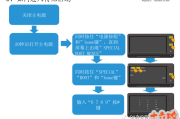
Xerox Apeos C2060, C2560, C3060 firmware upgrade program new * * * * This content is hidden by the author * * *, firmware upgrade, Ricoh copier repair ..
Xerox Apeos C2060, C2560, C3060 firmware upgrade program overview This technical announcement announces the release of the new universal firmware for Apeos C2060/C2560/C3060 (Marble 4) ..
Fault cause: System data error handling method: Turn off the power and then turn it on. If the fault still exists, the following steps need to be taken: 1. Unplug the machine's hard drive cable, turn off the machine and power it on, then plug in the cable again. Select 04 and press yes to perform hard drive formatting ..
Fault phenomenon: machine startup prompt 058-376 code solution: this code is abnormal input voltage of the machine. first, make sure that the voltage at the user is normal, and then change NVM value 744-616 to 0. ..., maintenance cases...
Xerox ApeosPort C3060,C2560,C2060 firmware upgrade program improvement: update additional applications (1.4.0) when you update from the previous version to 1.4.0 all automatic update settings will be strong...