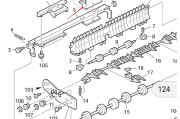
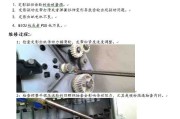
[Problem] Paper jam in the machine's fixing/discharge unit. Paper jam code 14. Multiple copies are more frequent than single copies. [Cause] The paper jam code 14 refers to the fixing paper discharge sensor. The sensor is installed on the upper part of the right cover, under the fusing guide. Cover off...
[Symptom] Jam 005 is displayed. Sometimes JAM003 or JAM004 is displayed at the same time. This symptom occurs infrequently. [Cause] If the timing belt tension of the paper feed motor is not enough, the paper feed motor cannot correctly transmit power from the timing belt, resulting in...
Ricoh MP7502 fixing and double-sided machine interface paper jam (double-sided machine entrance paper jam), suitable for Ricoh MP7001,8001,9001,7500,6001,7502,6002,9002 and other types of paper...
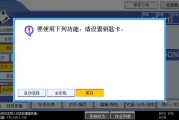
Ricoh 7001 Series PCC cannot use copying after logging in. To use the following functions, please set the key card symptom customer to use Equitrac software. When logging in PCC, click the copy button and prompt the following error. (as shown below) to solve...
Problem description: 7001 printing single-sided and double-sided normal, document feeder copying, scanning single-sided normal, copying and scanning double-sided documents will be stuck and will not prompt paper jam, after opening and closing the door, the paper jam will be prompted, and the paper jam machine will not be able to copy and scan normally after taking out the paper jam, also...
The disassembly steps video of Ricoh MP9003 alignment stick hand delivery unit can be referred to for series machines such as 70018001900175026026027500, which are roughly the same. This content is included ..
Ricoh MP9003,7503 developer unit disassembly steps video, 7001,8001,9001,7502,6002,9002,7500 and other series of machines can refer to * * * * this content by the author...
1. Decompress the firmware package to an empty SD card less than 2G, ensure that there is a romdata folder in the root directory of the card, and copy the firmware to the folder. 2. Turn off the host switch and insert the SD card into the C of the SD card...