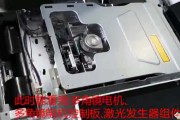
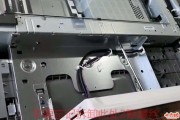
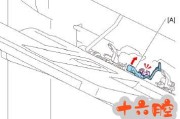
Symptom: The first paper box of Ricoh IM7000 cannot be opened; Possible reasons: poor paper box/poor paper box locking electromagnet/poor paper box guide rail. Repair process: 1. On site inspection of the fault situation, the first paper path's cascade paper box cannot be pulled out, machine ..
Symptom IM7000 cannot bring up conventional scan, no scan (conventional) option. Cause analysis 1. Check SP5-985/SP5895 related options, normal. 2, through the user tool can see the scanner characteristics, thus judging...
Ricoh IM7000 series model optical part removal 2-laser unit Ricoh IM7000 series optical part removal laser unit-video link: https://pan.baidu.com/s/1WLet...
Ricoh IM7000 series model optical part removal 1-optical unit Ricoh IM7000 series optical part removal scanning frame unit-video link: https://pan.baidu.com/s/1vdgv...
Affected models: IMC6500 series, IM7000 series. Symptom: After powering on the machine, it displays a message indicating that the feeder tray is full, even though there is no paper in the feeder and the paper tray has already been lowered to its lowest position. maintenance process: mobile tray full of judgment machine...
Symptoms: After the IM7000 machine is turned on, no matter where the SOP screen is touched, it will display: [Stop] has been pressed. To view the job, press [Display Job List]; Press the SOP screen again and there is no response analysis anywhere...
Ricoh IM7000 is installed with SR4160, and a paper jam occurs during the use of the binding function. During the repair process, 1. Check the paper output. When using the verification paper tray output, there is no paper jam, but when using the binding function, R5 position paper jam occurs, and the paper is stuck in the pre stack ..