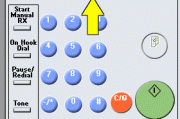
Requirement: Touch screen malfunction, motherboard replacement, etc. require calibration of the display screen Operation steps: 1 Press and hold the "Number 4"+"Number 6" buttons to turn on the device. 2. Display the menu on the screen (see below), use the "Number 3" or "Number 6" keys to select the third item ..
After the memory is cleared, or when the touch panel detection function does not work properly, calibrate the touch screen as follows. Note: Do not use the [2] to [7] options of the self-diagnosis menu. 1. Tap the [Touch Mode] key. 2...