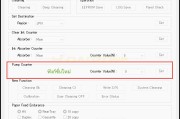
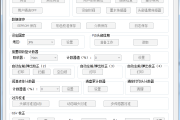
Special reminder: the software to be registered is not permanent, and it is inconvenient to restrict computers. Canon U disk (separate model or full series of clearing software registration machine permanent clearing software) can be used by connecting the U disk without restricting computers. not limited to electric...
Clear software instructions step 1: first let the printer enter the maintenance mode to enter the maintenance mode method is: 1, to ensure that the printer power switch is off, first press the [cancel/stop] key, and then press the [power switch] key. (Two...
The following models of reset software all have reset software instructions. Step 1: First, put the printer into maintenance mode. The method to enter maintenance mode is: 1. Ensure that the printer power switch is turned off, press the [Cancel/Stop] button first, and then press the [...]
Clear software instructions step 1: first let the printer enter the maintenance mode to enter the maintenance mode method is: 1, to ensure that the printer power switch is off, first press the [cancel/stop] key, and then press the [power switch] key. (Two...