For the MP 2001 / 2001L/2501L, if the paper and original are placed at a 90-degree angle, the leading-edge alignment setting should not be used for the vertical orientation of copy or print jobs. reasons if paper and original 90 degrees placed, figure...
The report provides adjustment steps for the following alignment issues. Adjust the forward and backward alignment in the following order of steps 1-5. Suggest using custom media settings. Before adjusting the shape/length alignment of the paper on all four sides, measure Paper-1
Taking Ricoh 7001 series as an example, the adjustment of printing position includes 1. 1001 * head end alignment (left and right position of the first side) 2. 1002 * horizontal alignment (adjustment of up and down position) [*] 001 paper tray 1 [*] 002 paper tray ..
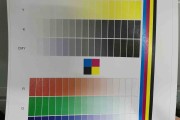
Ricoh c2003 test chart left and right positions are not aligned (not aligned). The test chart is printed in printing sp mode 1103~02. The left and right positions are not centered. After adjusting sp1001 and 1002, there is no change * * * * This content is hidden by the author...