
|
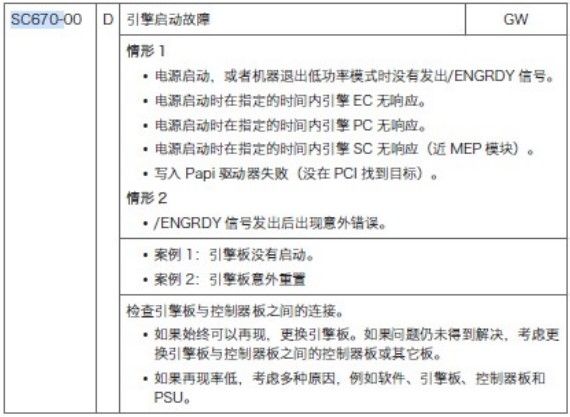
Symptom: The customer reported that the 8100 machine occasionally reports SC670 when printing. The machine must be restarted, and after restarting, it can print normally again. Sometimes it can print thousands of prints, and sometimes it can only print more than 10 sheets.
The manual shows that SC670 will be reported upon startup, but the customer's phenomenon is very strange. It is not reported upon startup, but during the printing process. Reason: Due to reporting SC670 during the printing process and scheduling a day with the customer to observe on-site, it is true that there may be sudden jumps in 670 during the printing process. After restarting, it can be printed again, but sometimes it is accompanied by J031, paper jam code, and reporting 670 again. Check the paper jam sensor pointed to by J031. After cleaning, it is ineffective and still intermittently reports J031. After consulting with colleagues' experience, we began to investigate all the wiring harnesses led out by BCU. We are afraid that during the printing process, the motor may have touched the wire and worn out the skin, causing a short circuit and resulting in 670. After investigation, no similar issues were found. I started to investigate the two flat wires that came out of the BCU. After removing them and checking, I didn't find any problems, no signs of damage or oxidation. With a try and see attitude, I swapped the two flat wires and turned on the machine, but it immediately reported a 670 code and never got up again. After replacing the flat wire with a new one, the fault was resolved. Solution: Some seemingly problem free components still require more observation and experimentation. Only then can the silk be peeled off. Identify fundamental issues. |
Address of this article:https://073868.com/post/6065.html
Copyright Notice:
For relevant infringements, reports, complaints and suggestions, please send E-mail:weixiuwang68@qq.com
Tags: #SC670 #8100 #8120 #Controller board #hard disk






