
|
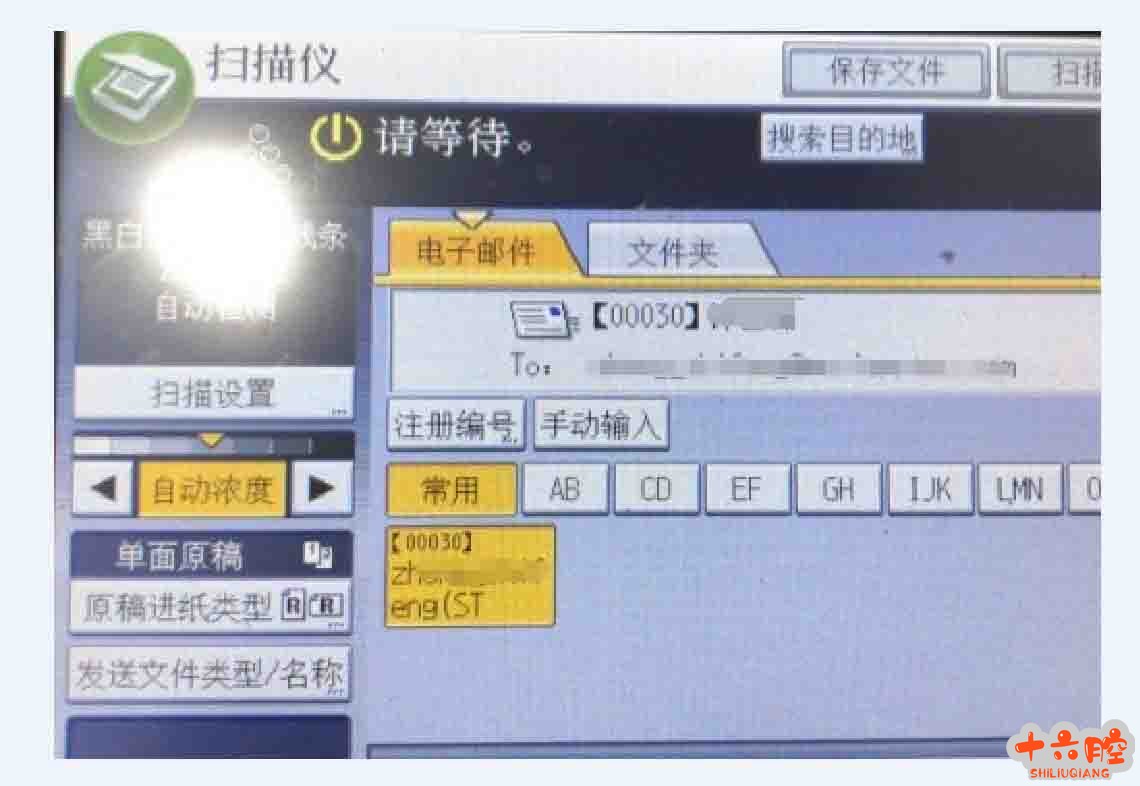
1. If an MP3555SP encounters scanning issues while installing the Greenland software environment, please wait for the interface to be restored; Fault photos:
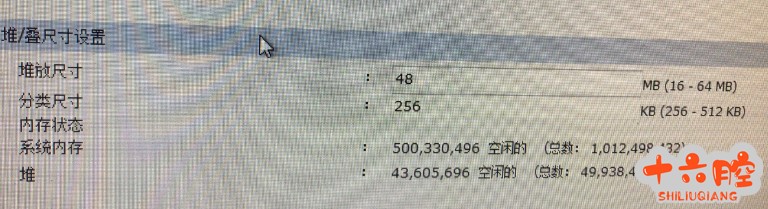
Possible causes: Software issues/configuration problems/controller damage; Maintenance process 1. On site observation of the fault phenomenon shows that the user's card swipe login is normal, and the printing and copying functions are normal. When entering the scanning interface, the machine displays "ready". When pressing "email" or "folder", the machine will display a "please wait" prompt, and the scanning function cannot be used; 2. Check if there have been any fault codes on SP7-403, and after inspection, the machine did not show any fault codes; 3. Inquire with the customer, who has reported that the machine has recently experienced a log full prompt, but they have already contacted a technician to perform a log clearing action; 4. Reinstall the Greenland software, but the issue persists; 5. After checking the relevant settings of the software installation, it was found that the heap and stack settings of the machine were small (as shown in the figure below). After modifying the heap and stack sizes and scanning again, the fault was resolved: Solution Adjust the stack size from 48M to 64M and the classification size from 256KB to 500KB before resolving the issue;
|
Address of this article:https://073868.com/post/5700.html
Copyright Notice:
For relevant infringements, reports, complaints and suggestions, please send E-mail:weixiuwang68@qq.com






