
|
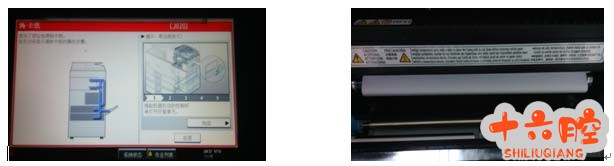
MP2352SP/DSM923SP Symptoms: The machine is often used about 20 minutes after entering energy-saving mode, and the first printed piece of the machine gets stuck at the fixing inlet; After eliminating the paper jam, everything was copied normally. The fault phenomenon is shown in the following figure:
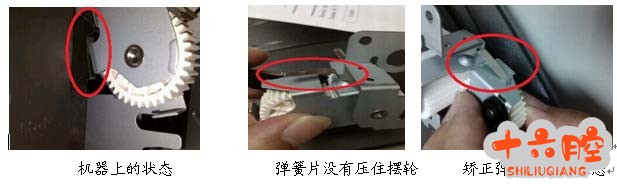
Reason: 1) Poor motherboard; 2) Poor fixing unit electromagnet; 3) Poor fixing drive gear spring plate. Maintenance process: On-site maintenance measures: 1) Replace the machine motherboard, but the fault persists; 2) Check the fixing unit and find that the fixing heat roller does not rotate every time there is a paper jam. Replace the fixing electromagnet, but the fault persists; 3) Check the fixing drive gear and find that the position of the spring plate on the gear is poor. After correcting the position of the spring plate, the spring presses against the balance wheel, which can give the balance wheel an outward pressure, allowing the balance wheel to mesh with the fixing gear. The machine is tested normally. As shown in the red circle in the figure:
|
Address of this article:https://073868.com/post/5421.html
Copyright Notice:
For relevant infringements, reports, complaints and suggestions, please send E-mail:weixiuwang68@qq.com






