
|
Problem J49 (over tilt)/J50 (over movement) lead to The gap between the registration timing roller and the idle roller is too small, making it impossible for the leading edge of the paper to pass through. This is because the radial load generated by the registration timing roller wears down the lock hole shaped groove on the side plate fixed to the roller, causing the shaft to loosen. Over time, wear occurs at approximately 50000 K.
Solution Production line: Add a bracket and stand to firmly support the timing roller in the slot. On site: 1) Firstly, check the gap between the timing roller and its idle roller. 2) If the gap is too narrow, use three new components (bracket, bracket, and screw) for modification. Notes This solution is also compatible with previous models, Pro 8100 and Pro 8200 series. Working hours: approximately. 60min inspection program 1. Pull out the drawer unit and rotate the gear circled in red with your fingers until your arm reaches the highest position. 2. Lift the B6 control lever and insert a piece of regular paper between the guide plates. If the paper passes through the transparent cover smoothly:
If the paper cannot pass through the transparent cover smoothly:
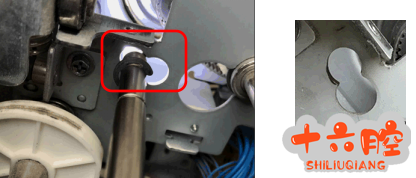
Modify the program 1. Pull out the drawer unit, remove the right inner cover, remove the 5 screws circled in red, and then remove the slide rail. 2. Remove the black cover. (Screw x2) 3. Remove the two pressure springs from the pressure roller. 4. Remove the two plastic plug rings at both ends, and then remove the pressure roller. 5. Remove the transparent plastic cover and then remove the four screws circled in red. 6. Disconnect the sensor connector and remove the registration timing roller cover. Link: https://pan.baidu.com/s/1sQG9Rkk2cq3iY0BbnK6Fyg Extraction code: g3b5 The post is prohibited from being reposted. If any reposting is found, the account will be banned |
Address of this article:https://073868.com/post/1366.html
Copyright Notice:
For relevant infringements, reports, complaints and suggestions, please send E-mail:weixiuwang68@qq.com







