
|
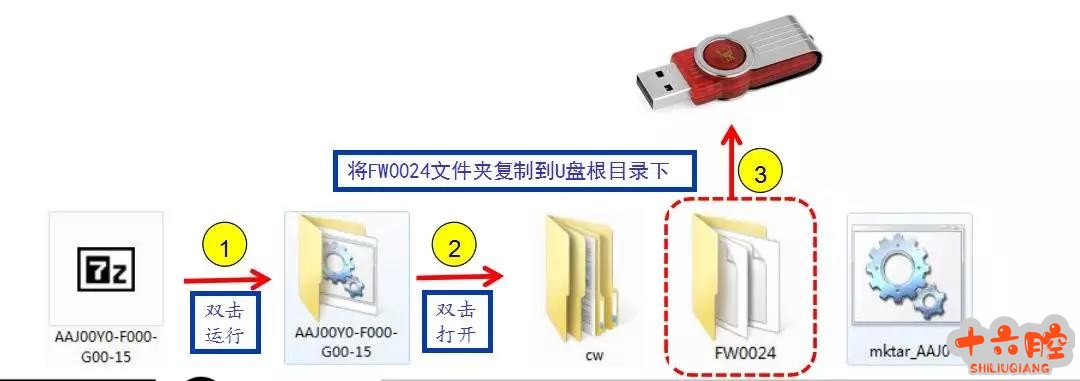
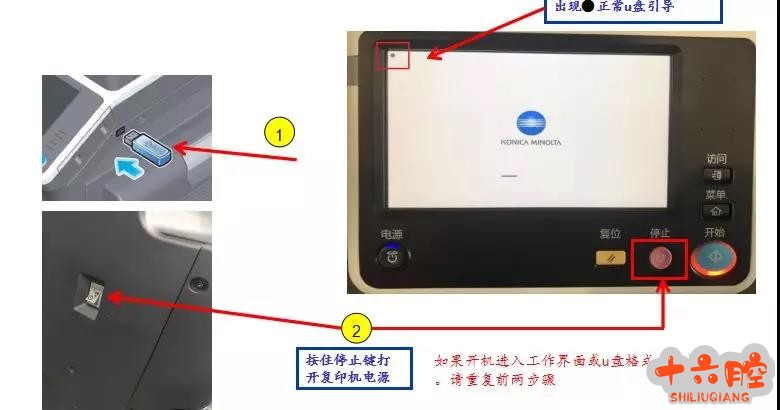
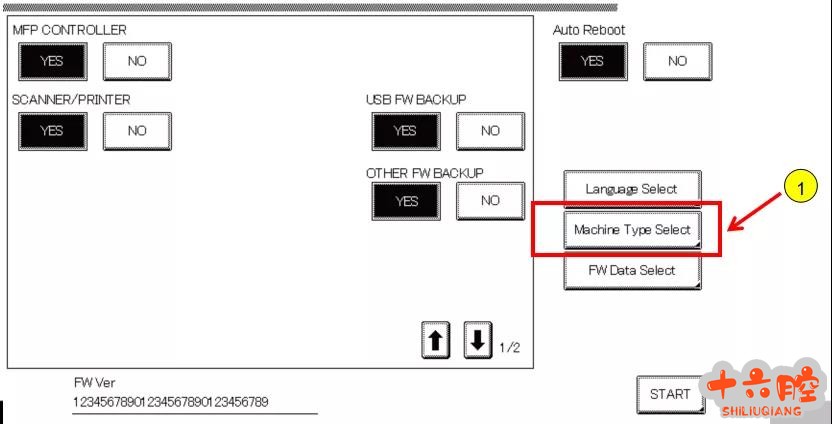
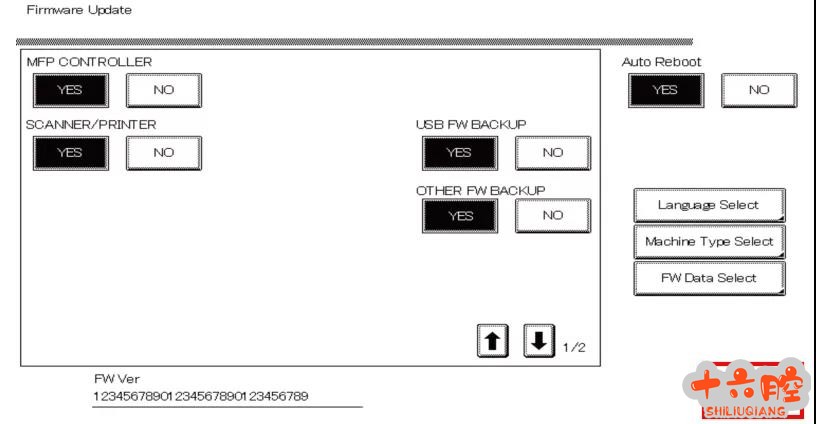
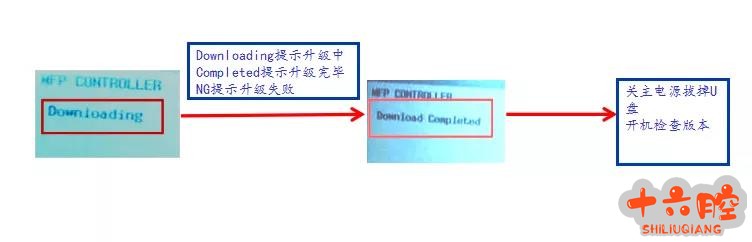
<机型> Bizhub 306i/266i/246i/226i series <固件升级设置> 1. Preparation work2. Boot the USB flash drive during startup3. Set up upgrade Step 1: Preparation 1. Check the current firmware version of the machine: Maintenance mode - firmware version, in case of upgrade failure, the original firmware can be safely flashed back.2. Prepare a FAT32 formatted USB flash drive with a capacity of less than 32GB.3. Download the latest large-scale firmware to the computer and copy the files to a USB drive: Taking the AAJ00Y0-F000-G00-15 firmware as an example.
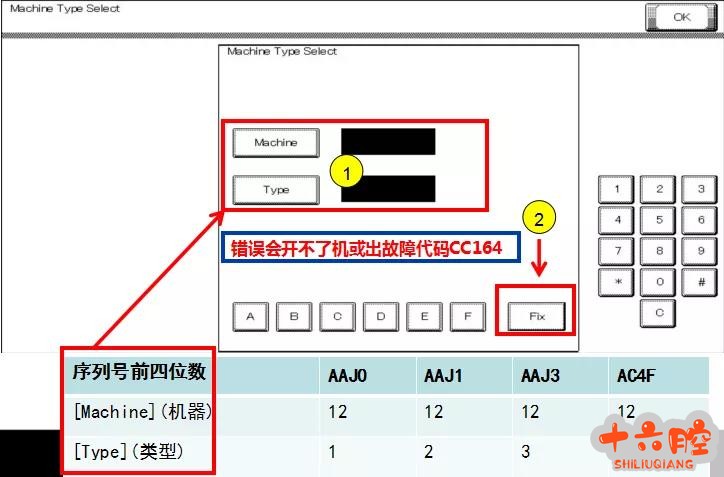
Step 4: Confirm the machine type information
|
Address of this article:https://073868.com/post/6004.html
Copyright Notice:
For relevant infringements, reports, complaints and suggestions, please send E-mail:weixiuwang68@qq.com
Tags: #Ke Mei #Firmware upgrade #Firmware #266i







