
|
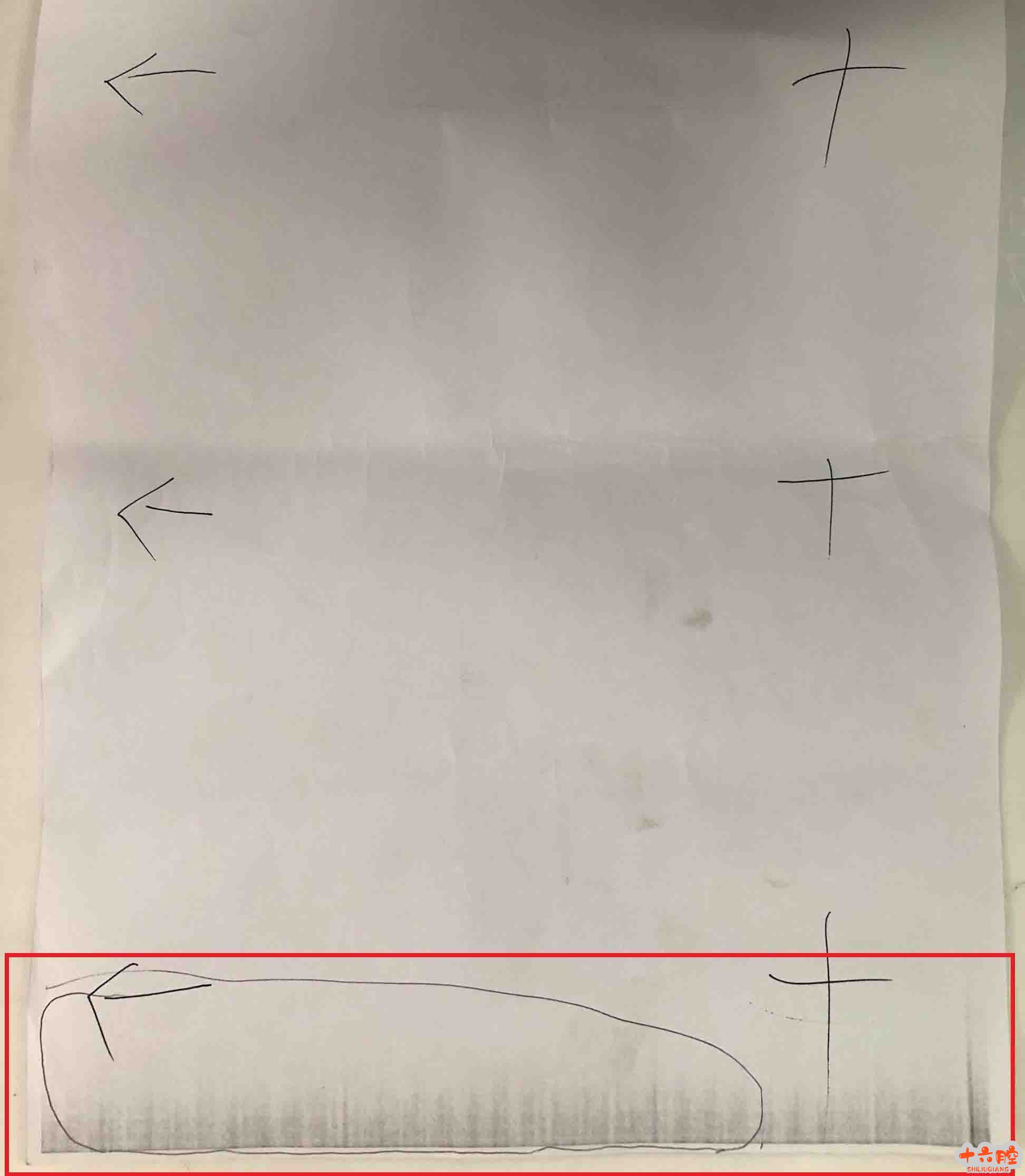
MP2555SP/3055SP/3555SP Symptoms The machine is equipped with ARDF3090, and copying in the glass mode on the manuscript table is normal. When using the document feeder for copying, there is a black bar in the secondary scanning direction. The fault sample is shown in the following figure: the direction of the arrow on the sample is the direction of paper feeding, and the black bar in the red box represents the fault.
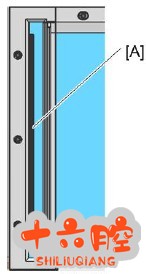
Diagnostic process: 1) Check and tighten the fixing screws of the document feeder, the fault still persists. 2) Adjust the position of the fixed screw on the right-hand side of the machine facing the document feeder (two holes can be adjusted, switch to another screw hole), but the fault still persists. 3) Adjust the values of SP6-006 in the maintenance mode sequentially, but the fault persists. 4) Replace the document feeder for testing, the fault persists. 5) Suspected that the host sank on the left-hand side of the manuscript table, and after adjusting the position, the fault persisted. 6) Remove the main ADF and expose the polyester film on the glass for testing, and the image is normal. The specific components are shown in the following figure [A]:
Solution Remove the polyester film on the ADF exposure glass of the host, and the image is normal. Note After removing the polyester film, pay attention to removing the residual double-sided tape at this location to avoid paper jams during subsequent use. |
Address of this article:https://073868.com/post/5693.html
Copyright Notice:
For relevant infringements, reports, complaints and suggestions, please send E-mail:weixiuwang68@qq.com
Tags: #DF3090 #Black stripe #2555 #3055 #3555






