
|
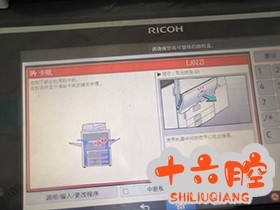
During the copying/printing process of MP C6503SP, if there is a paper jam (per sheet), the machine can be reset to standby mode after the jam is removed.
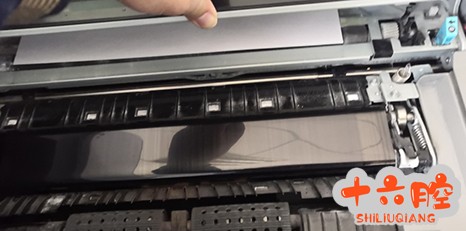
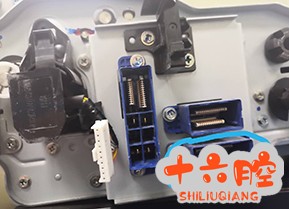
Cause analysis 1. The J022 paper jam code is interpreted as a delay in the transfer conveyor sensor. The SP5-803 input check was used to test the relevant sensors, and the sensor response was normal. 2. Using SP5-804 output to check and test the alignment motor, conveyor motor, and other motors for no action - replacing the motor is ineffective. 3. Replace engine IOB board - Invalid. 4. Due to the customer's previous normal use, it was suspected that the paper was not completely removed or that the relevant components were deformed or displaced during the removal process after the paper jam occurred and was removed. After inspection, it was found that there was residual paper on the back of the drawer unit at the plug position of the drawer unit, and the plug was compressed. After removing the residual paper, the fault could not be eliminated. 5. Remove the drawer unit and carefully inspect the rear plug. It was found that one of the plugs had a set of sockets that had slipped backwards. After correcting the position, the fault was resolved. Note: The blue plug marked in the figure has two sets of sockets, one on top and one on the bottom. The lower set has been removed one after another, causing it to be unable to make normal contact after being pushed into the drawer unit.
Solution Rectify the insertion position and replace it if necessary. Note: The main reason for this case was that the customer failed to correctly remove the paper completely and left it behind the drawer unit after the paper jam occurred, resulting in the drawer unit being pushed in and causing excessive resistance to the plug position, ultimately causing the plug to be misaligned. |
Address of this article:https://073868.com/post/5574.html
Copyright Notice:
For relevant infringements, reports, complaints and suggestions, please send E-mail:weixiuwang68@qq.com
Tags: #8003 #6503 #Paper jam #Positioning #J022







