
|
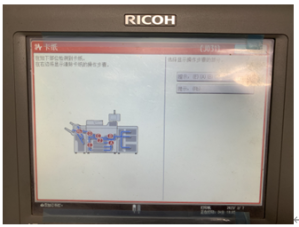
Symptoms: The machine makes a brief unusual noise when it starts up and during the self-test before each job. There is no noise during printing, but a brief unusual noise occurs after printing is completed. Additionally, paper jams (J031) occur frequently during printing. The fault of 80g offset paper is much smaller, and 60 to 70g offset paper cannot be printed at all, so the error J031.
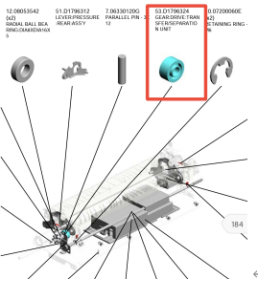
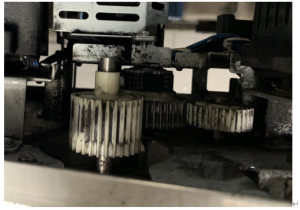
Reason: 1: Open the outer door of the machine to listen to the sound. The abnormal noise is probably emitted at the second rotation position, and the J031 error is the transfer time limit sensor. Check that the alignment gear has no obvious wear marks. So look at the second gear, only a little wear, manual rotation for two revolutions, there is no abnormal sound, judging that the abnormal sound should be emitted from the place in contact with the second revolution. So look at the two gears above the drive roller in contact with the second turn. There are already visible signs of wear (below). After replacing the drive gear and the gear corresponding to the second rotation, eliminate the abnormal noise.
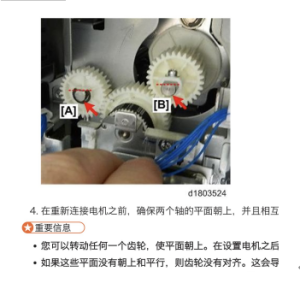
2. After the abnormal noise is eliminated, it is judged that the cause of J031 frequent paper jam before is gear wear, because of tooth hitting, there will be abnormal noise, and because there will be jitter during tooth hitting, 80g offset paper can easily pass through the sensor because the gram is a little higher, so the impact of jitter is not very large, while 60-70g paper can easily pass through the sensor because it is relatively light and thin, so the error J031. 3: The situation of J031 has improved greatly, and 60-70g of paper can be printed normally. However, after printing a few hundred pages each time, error J031 still occurs. After clearing the error, printing another few hundred pages again results in error J031. The rear portion of the transfer timing sensor fault has been resolved, so we are now investigating the mechanical components at the front of the transfer timing sensor. The front part of the transfer time limit sensor is the alignment assembly. If there is a slight obstruction on the paper at this point, causing it to feed more slowly, it can also result in a paper jam. Then clean the paper feed rollers and the paper path, and at the same time check whether the registration gate gear is in its original position. 4: When checking the original position of the gear of the alignment door, it is found that the gear has no obvious signs of wear (below)
Solution: Check the gear carefully. The teeth have been slightly sharpened. When judging the gear bite, the gap between each tooth becomes larger, which causes the time to reach the transfer time limit sensor to become late. Because the gear wear is not too large, after printing multiple sheets, there will occasionally be an incorrect time limit, resulting in an error report. Troubleshoot after replacing the three gears of the alignment door. |
Address of this article:https://073868.com/post/5553.html
Copyright Notice:
For relevant infringements, reports, complaints and suggestions, please send E-mail:weixiuwang68@qq.com
Tags: #J031 #Sensor #8100 #8200 #secondary transfer







