
|
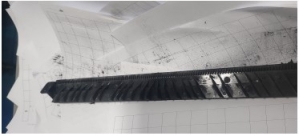
Symptom: After printing dozens of sheets on 80g paper, the customer produces paper jams J032 J034 Reason: Upon arrival at the site, it was observed that 20 sheets of paper were flat and stuck on the PTB belt, or occasionally stuck at the fixing paper outlet. Occasionally, the paper rolled up at the fixing paper inlet, suspecting that it may be caused by the poor rotation of the driving part of the PTB part. Therefore, the PTB unit was disassembled for a comprehensive cleaning, and both the second rotation unit and the second rotation drive were inspected and cleaned. Further testing revealed that the paper was still stuck in J032 J034. Therefore, the front door was opened, the chain was connected, and the movement of the paper between the second rotation and fixing was observed in the gap. Through observation, it was found that the printing started normally. Around 10 sheets were printed, and the paper head would drill into the separation plate position of the second rotation unit when it was in the second rotation, but it was still very difficult. After reaching the PTB unit, J032 or J034 will basically appear when this situation occurs Solution: According to the principle analysis, it should be caused by poor separation of paper in the secondary unit separation board. Considering the machine print count and on-site conditions, a brand new separation board was installed and tested for 1500 sheets without jamming. Troubleshooting, the following picture shows the replacement of the two second wheel separation plates. The separation plate is a consumable part that has a lifespan in addition to regular cleaning, so it still needs to be replaced.
|
Address of this article:https://073868.com/post/5542.html
Copyright Notice:
For relevant infringements, reports, complaints and suggestions, please send E-mail:weixiuwang68@qq.com







