
|
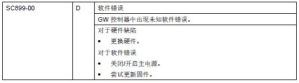
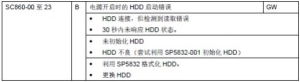
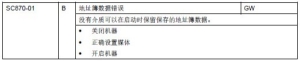
Symptom: Pro 8200 startup error SC899-00, accompanied by SC860-00 and SC870-01 jumping in the lower left corner, unable to enter maintenance mode, and the machine turns into a fully English interface. Reason: The controller board is burnt out.
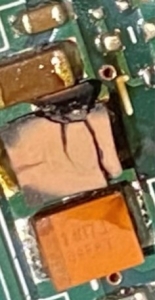
The appearance of these two capacitors in the picture should be the same. Solution: 1. Search for the maintenance manual, all pointing to the hard drive malfunction:
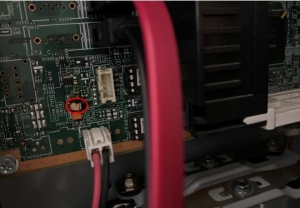
2. Remove the hard drive and take it to the external hard drive box. You can recognize it and try formatting it: After formatting is completed, the two hard drives are reinstalled and the machine is turned on. However, the fault persists and the repair mode cannot be entered. 4. Upon rechecking, it was found that there was no movement on the hard drive when it was turned on. Upon careful observation, it was discovered that a capacitor near the hard drive power supply on the controller board had burned out Other than that, no other abnormalities were found. 5. Order the controller board and carefully replace it according to the manual steps. After completion, turn on the device and the device will display the need to format the hard drive. After confirmation, the device will automatically format and restart. Press the button on the panel to change the language to Simplified Chinese, and the device will return to normal. Controller board number: D2705713. When replacing, pay special attention to the installation direction of the two NVRAMs. Do not install them upside down, as it may burn out the NVRAMs. |
Address of this article:https://073868.com/post/5504.html
Copyright Notice:
For relevant infringements, reports, complaints and suggestions, please send E-mail:weixiuwang68@qq.com







