
|
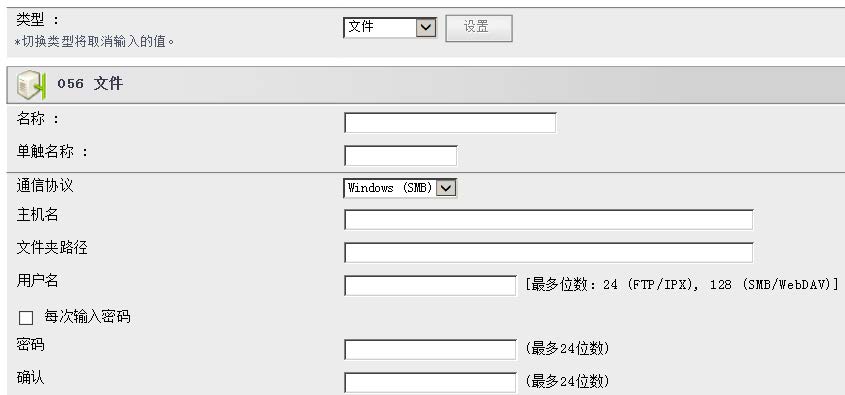
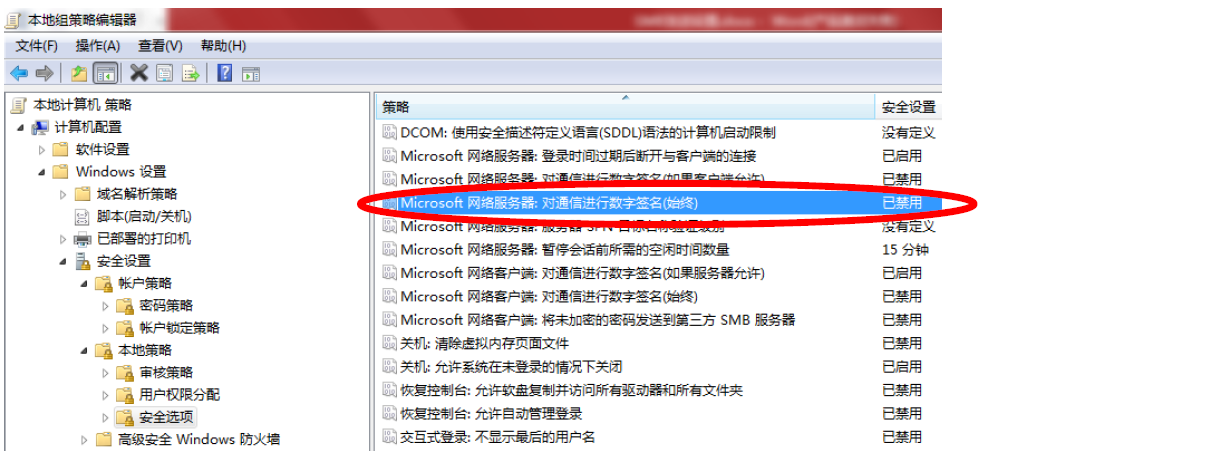
Canon copier SMB scan set up multiple send setup steps 1、 Setting steps 1. The work that needs to be done on one end of the multifunctional machine Correctly set IP address and subnet mask; Do not choose: use any one of DHCP, BOOTP, RARP; Open the SMB client; After setting up, shut down and restart the hybrid machine 2. Tasks that need to be done on one end of the computer Confirm that the composite machine can be connected correctly through the ping command; Enter the IP address of the multifunctional machine in the browser, enter the RUI interface, and confirm the network settings of the multifunctional machine 3. Information asked from users Which computer's shared folder needs to be scanned; Is this computer sharing folders and has permission to write files (full sharing permission); What are the login username and password for this computer? (If the computer is a machine within the domain, the username format is: username @ domain name, or: domain name \ username); Example: Computer name: dell-pc; Shared folder: share; Username: send; Password: 1qaz2w 4. Test the above information Click "Start" - "Run" on the computer, type the UNC name (\ computer name or IP address \ shared folder name), and if the shared folder can be opened, verify that the UNC name is correct; Find another computer on the network, repeat the previous step, and see if you can open the shared folder. If prompted to enter a username and password, use this to verify the correctness of the username and password 5. RUI settings related information Open the RUI interface, select "File" as the type in the new address, Set the name and one touch name to be easily recognizable by the customer, such as the customer's name; The communication protocol is SMB, the host name is entered as a UNC name, the folder path is not filled in, and the username and password are entered correctly; Click OK to save the information
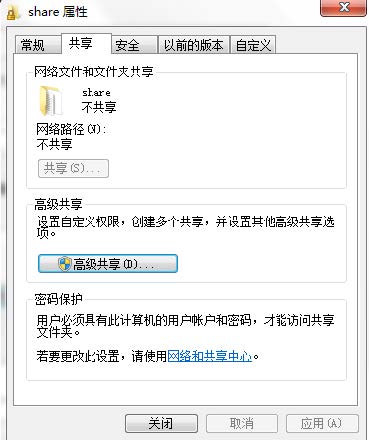
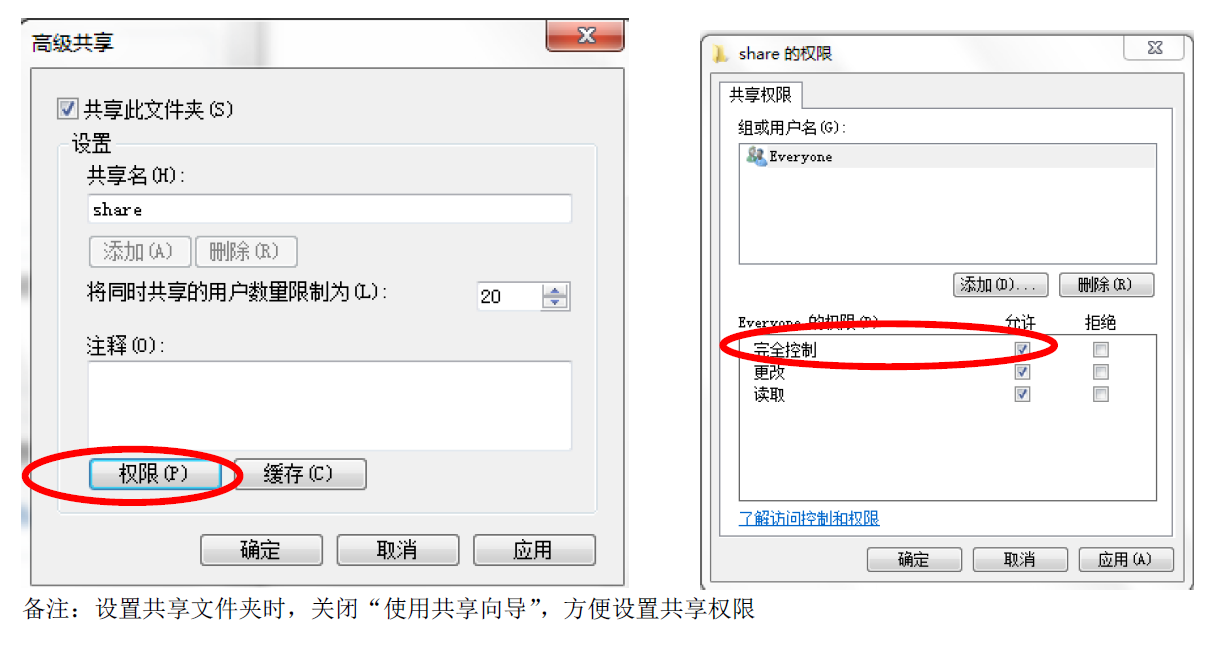
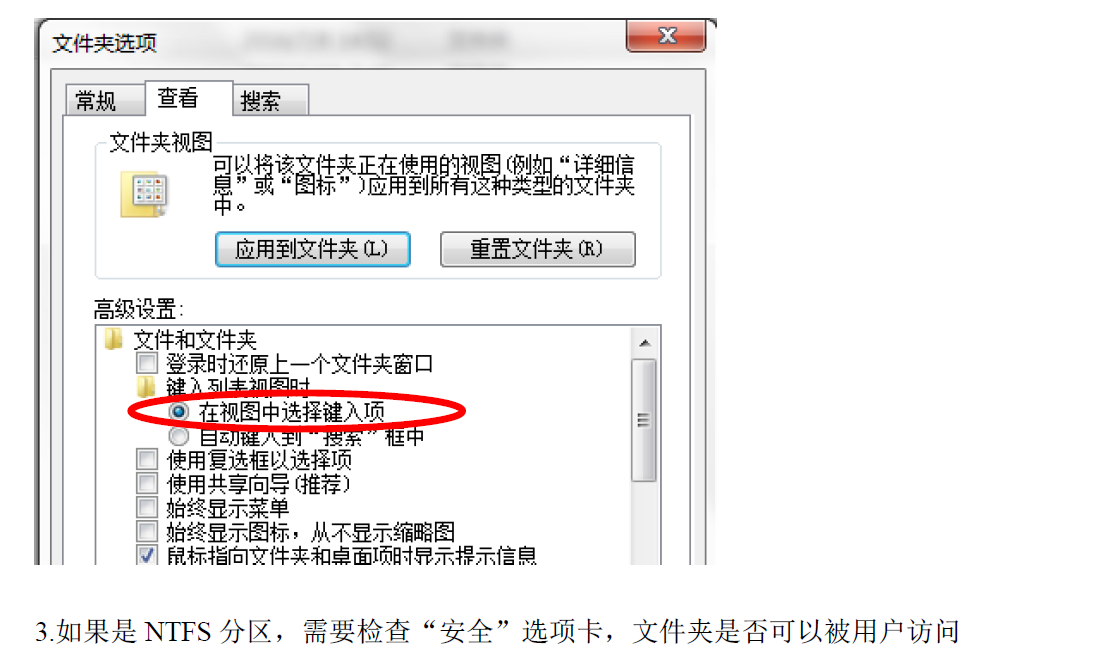
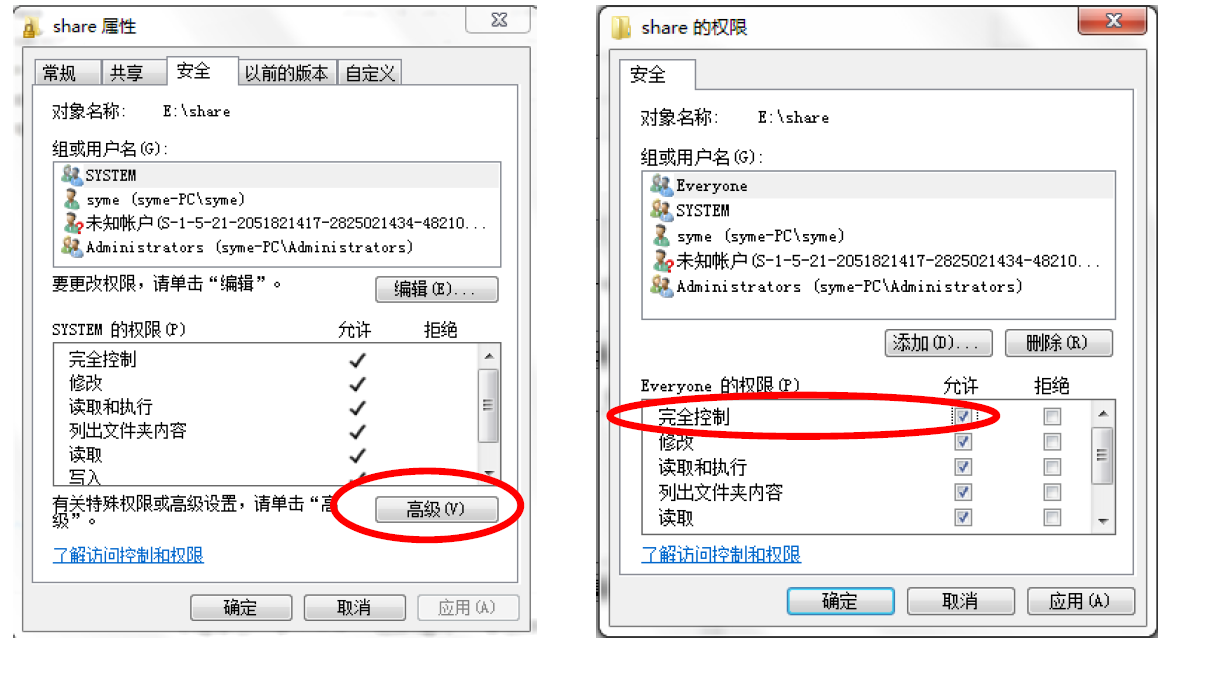
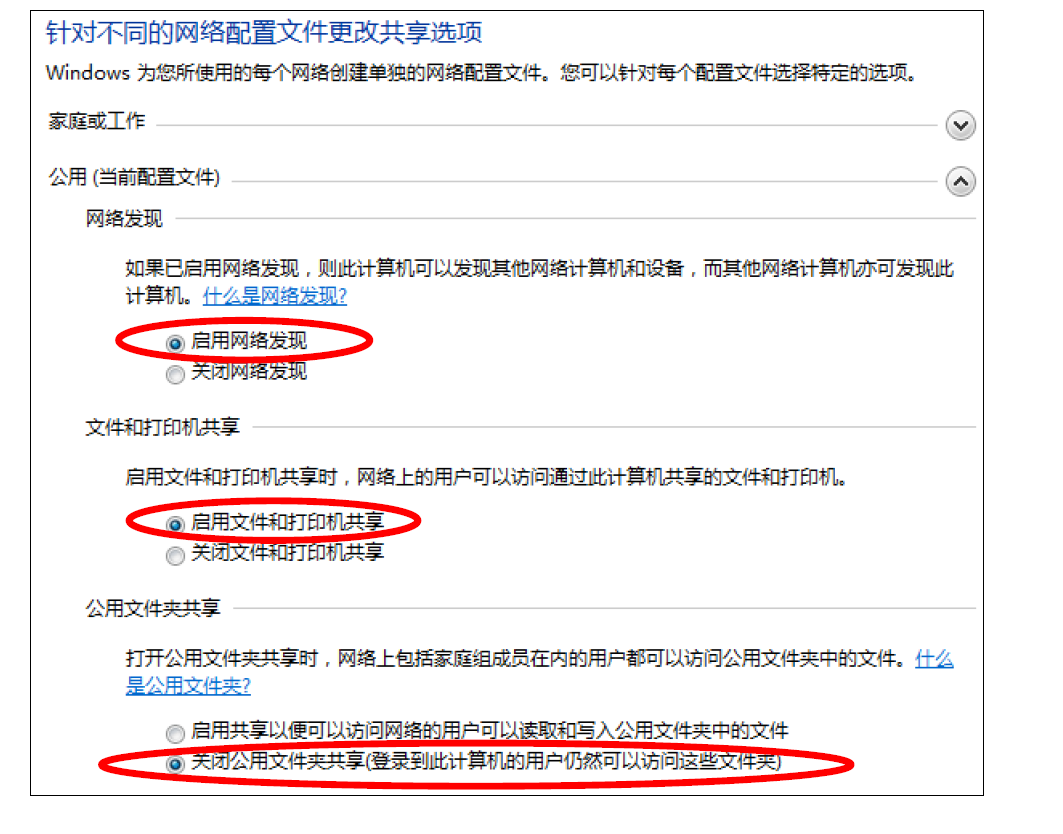
2、 Failed to set up, issues that need to be checked: 1. The IP addresses of the computer and the multifunctional machine are set in the same subnet For example, 192.168.1.100 and 192.168.1.200, with a mask of 255.255.255.0, and then ping to verify if successful. It is best to install a print driver that can print and prove that there are no network issues; On the computer being sent, set the shared folder and grant full control over the sharing permissions.
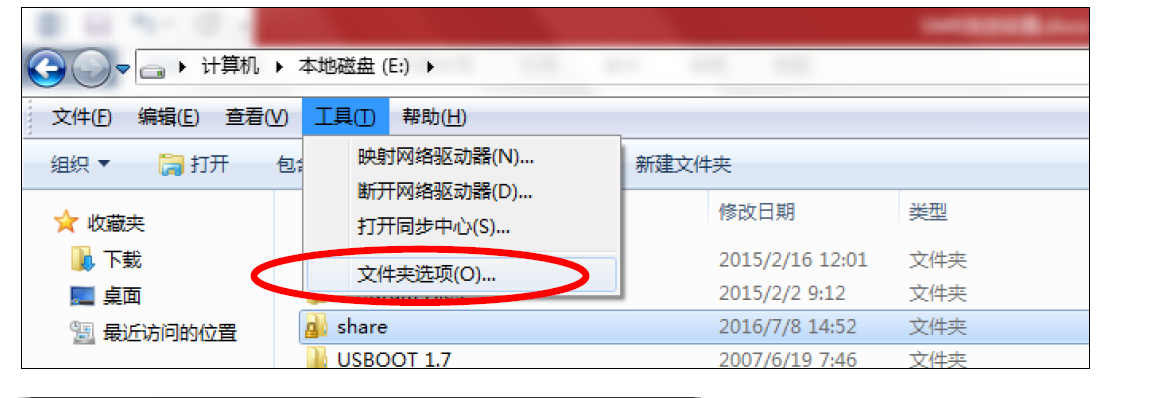
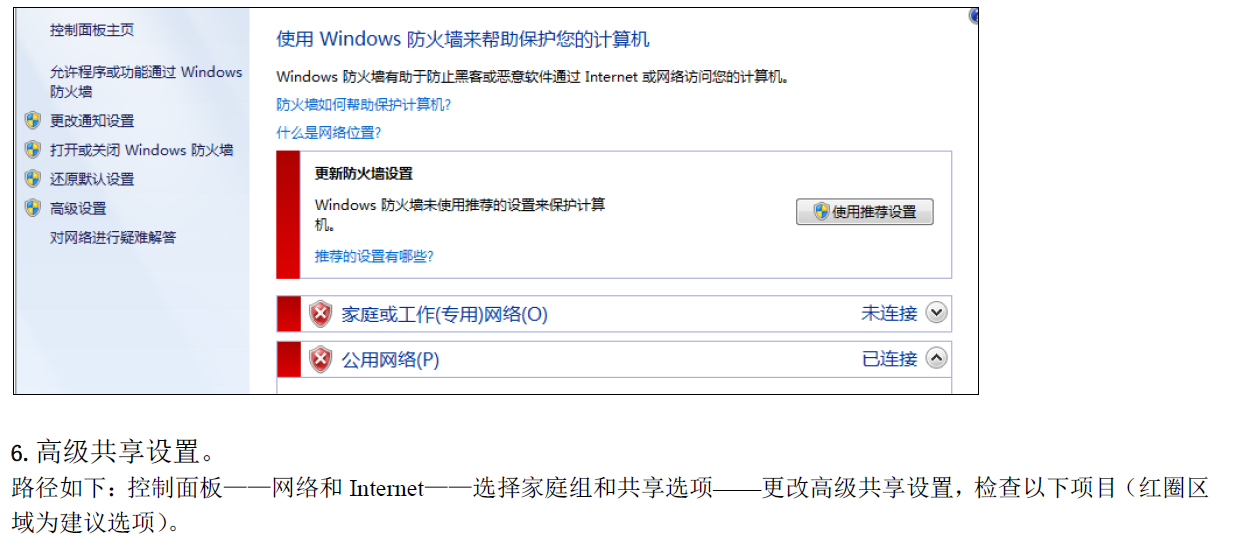
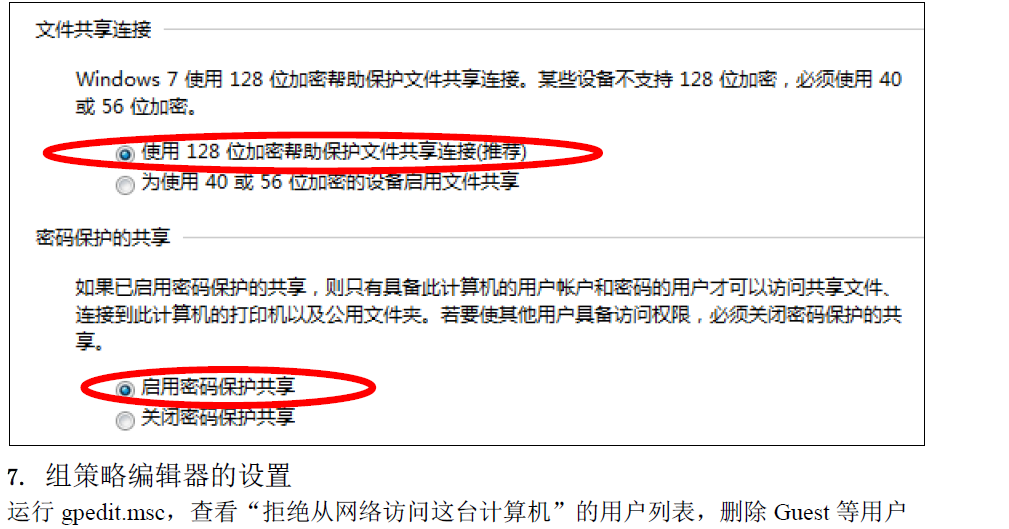
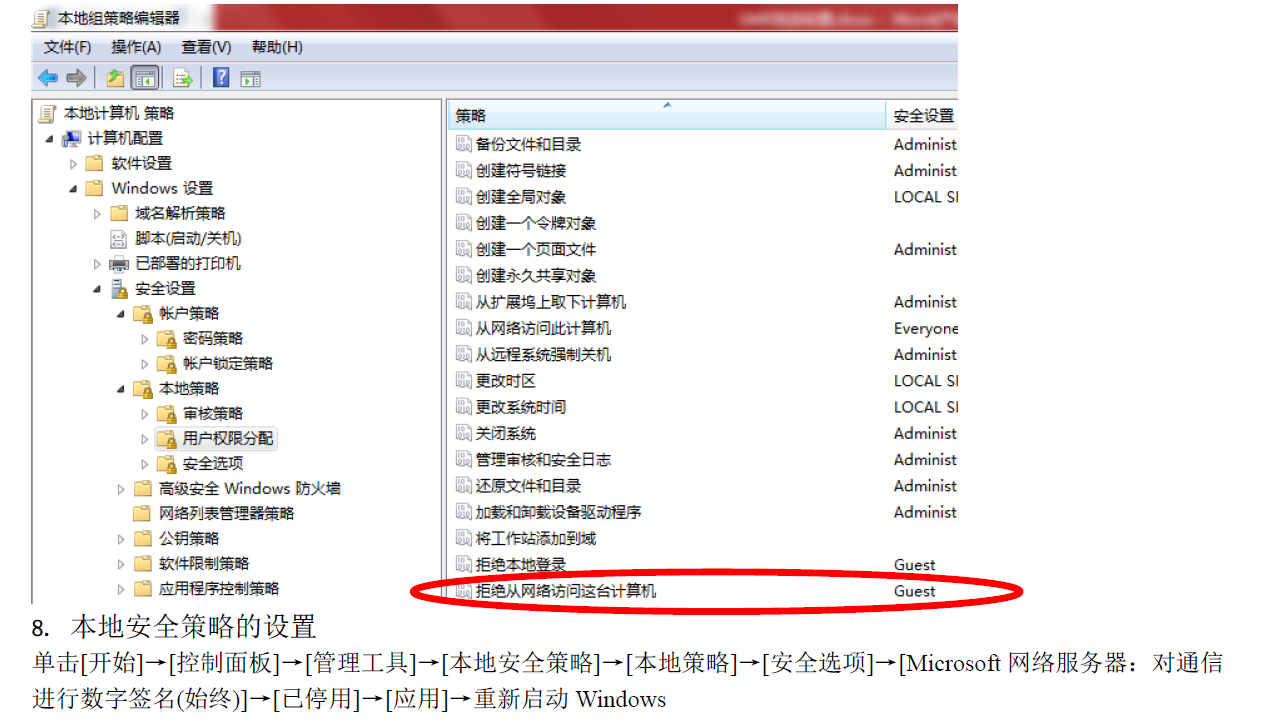
4. Computer user settings Create a new computer user without using the built-in computer users. If using built-in users, it is recommended to use administrator; When using an administrator, a more complex password should be set, such as a mixture of numbers and letters of at least 6 digits; 5. Turn off the firewall Although it is not recommended to turn off the firewall, in order to find the cause of the problem, temporarily turn it off to see if it can be successfully sent
|
Address of this article:https://073868.com/post/4764.html
Copyright Notice:
For relevant infringements, reports, complaints and suggestions, please send E-mail:weixiuwang68@qq.com







