
|
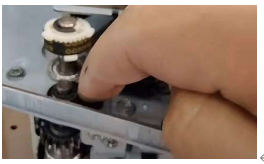
Symptom: The black and white machine Pro 8300 continuously displays J031 paper jam when processing 70g-100g regular paper. Reason: According to the maintenance manual, it was found that J031 had a paper jam at the position of the transfer time limit sensor. Observing the paper wrinkling situation when a paper jam occurs here, it is very similar to the shape of the cam structure of the alignment unit. Taking into account the above factors, the focus is on checking the alignment unit. Solution: Repair according to the order from the surface to the inside: 1. Check the paper ash collection and CIS sensor to ensure that this position is unobstructed and clean. 2. Check whether the shaft sleeves at both ends of the alignment iron rod are damaged or severely worn. If there is, replace it.
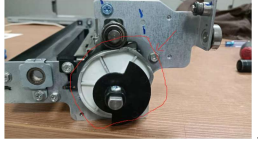
3. Check the wear of the cam, as shown in the following figure. If necessary, replace and handle.
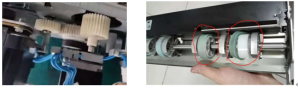
4. Check the wear of the three drive gears on the back. If there is a replacement, pay attention to keeping the flat mouth of the gear at the same horizontal line according to the requirements in the manual during reinstallation.
5. Check the wear of the alignment paper rubbing belt. If the machine has a large printing volume, considering rubber aging, the rubber ring can be removed and rotated by an angle before reinstalling. As shown in the above figure: After checking the above steps, J031 can basically solve the problem.
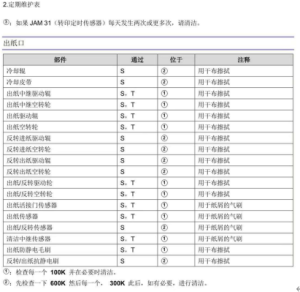
Summary: Through this maintenance experience, I have come to a deeper understanding of the importance of daily equipment maintenance. Regarding the J031 paper jam fault, a daily maintenance table can also be found in the maintenance manual. Share it again here. |
Address of this article:https://073868.com/post/3409.html
Copyright Notice:
For relevant infringements, reports, complaints and suggestions, please send E-mail:weixiuwang68@qq.com
Tags: #8300 #J031 #CIS sensor #Alignment iron rod #8200






