
|
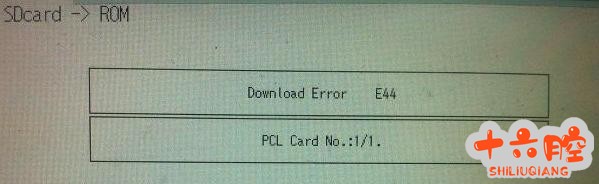
SC899 appears upon startup. Reason The print scan SD card is unplugged from the host after the boot test, the fault disappeared. Considering that SC899 code problems may occur in the old PCL firmware of this machine when printing, it is suspected to be related to the firmware. Try to upgrade the printing and scanning firmware, and error E44 occurred during the upgrade (as shown in the figure below); The code indicates that the firmware download from the SD card to the target part failed, and the print scan SD card is initially suspected of corruption.
Solution Unplug the print scan SD card from the controller and observe carefully that the write protect switch is set to lock. Troubleshoot after unlocking it. |
Address of this article:https://073868.com/post/3226.html
Copyright Notice:
For relevant infringements, reports, complaints and suggestions, please send E-mail:weixiuwang68@qq.com







