
|
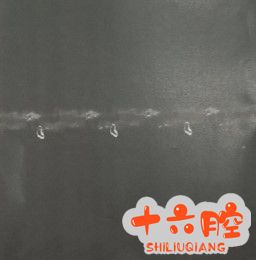
Symptoms A Ricoh IMC2000 prints appear strange white images, all colors have;
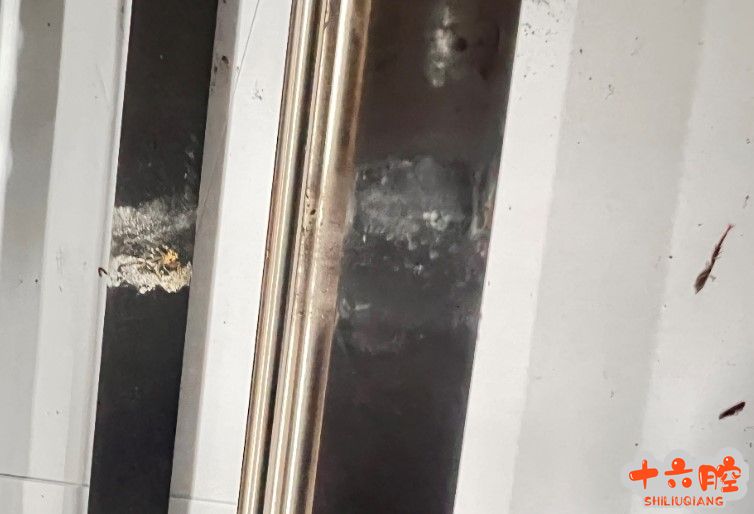
Possible causes: Bad PCDU/Bad ITB/Bad LDU/Bad Board Maintenance process 1. Check the fault situation on site and find that the image output of the machine appears in the four-color sample diagram, and the fault is exactly the same. It is preliminarily determined that it is not related to PCDU and LDU; 2. After checking the ITB unit, it is found that there is a cockroach leg on the metal bias pressure roller at the contact point between ITB and PTR. Because the cockroach leg hinders the normal discharge area of the bias pressure roller, irregular white areas appear on the printed product; Point of failure:
3. Check the print again after cleaning the obstacle. The print failure has not been repaired and a new image failure has appeared. 4. Check the colors involved in the new failure. All four colors appear. Since the previous image failure is related to the PTR contact point, it is immediately suspected that the failure is caused by the damage of the PTR paper transfer roller. After replacing the PTR, the failure remains; 5. Replace the previously cleaned ITB paper-to-metal printing bias roller, and the fault remains; 6. Check the fault image again and find that although all four colors have faults, the black one is more obvious. Then replace the black transfer bias roller of ITB unit for testing and troubleshooting; Solution This fault is eliminated by cleaning the paper transfer metal bias roller and replacing the ITB unit black transfer bias roller; |
Address of this article:https://073868.com/post/289.html
Copyright Notice:
For relevant infringements, reports, complaints and suggestions, please send E-mail:weixiuwang68@qq.com
Tags: #C2000 #White background image #c3000 #c6000 #c4500






