
|
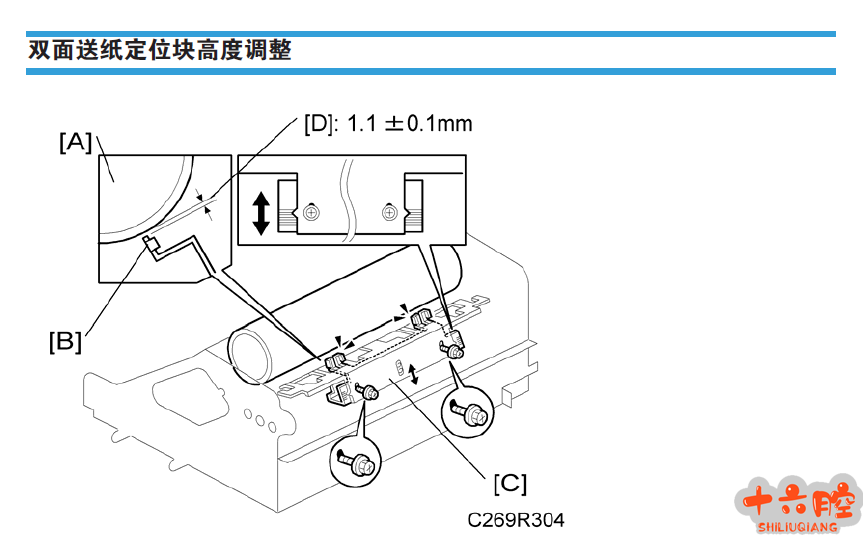
Symptoms When printing double-sided DX4640PD all-in-one machine, there is a slight crease at the end of the paper, and single-sided printing is normal. Cause analysis 1. Check the machine settings and confirm the paper width setting set by the paper guide of the double-sided unit to prevent the paper from being skewed when the double-sided unit is transported due to the wrong paper size setting. 2. It is judged that the crease position at the paper head end is basically the same as that of the positioning block for double-sided paper feeding. After inspection, it is found that the positioning block has traces of disassembly and assembly. After readjustment and installation, the fault is eliminated. Solution Reinstall the double-sided paper feed alignment block.
|
Address of this article:https://073868.com/post/285.html
Copyright Notice:
For relevant infringements, reports, complaints and suggestions, please send E-mail:weixiuwang68@qq.com
Tags: #4640PD #4640 #double-sided paper feeding #At the corner






