
|
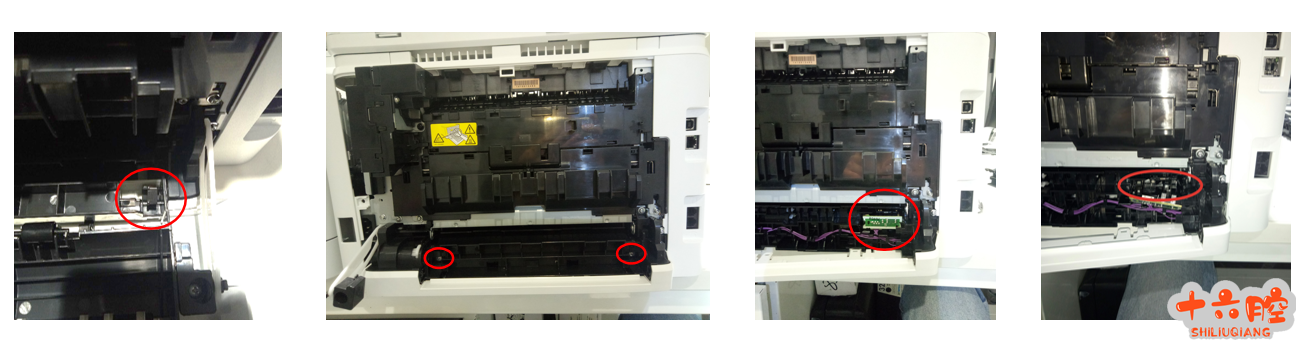
M154, M180, M181, M254, M280, M281 series new machines power on prompt for paper jam adjustment method (paper box two paper jam, clear the jam and press OK) After unpacking and powering on, it prompts a paper jam, which has been confirmed to be caused by a sensor flag dislocation on the paper path. You can handle it according to the following method Remove the back cover of the printer, paying attention to the components inside the red circle in the picture. Push this position to detach the rear door, then remove the fixing screws of the two connecting rods and take off the rear door. As shown below, remove the two screws and at the same time, open the left cover of the printer (viewed from the back), and remove the black baffle Upon seeing the sensor circuit board circled in red, remove it and you will be able to see the detached sensor Reset the detached sensors and springs.
|
Address of this article:https://073868.com/post/2844.html
Copyright Notice:
For relevant infringements, reports, complaints and suggestions, please send E-mail:weixiuwang68@qq.com







