
|
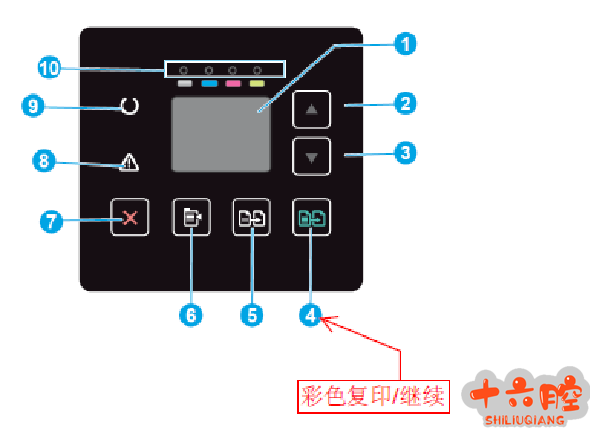
M180n manual double-sided printing. After printing one side, insert the paper again. The panel displays Go/02, but there is no continue button on the control panel. What should I do? Handling method: There is no 'continue' button on the control panel of M180n. In this case, please press the 'color copy' button to continue. Similarly, if the settings for the print job are inconsistent with those on the printer, prompt Go/03; The printer has selected manual feed mode to display Go/01, and also continues by pressing the "Color Copy" button.
|
Address of this article:https://073868.com/post/2845.html
Copyright Notice:
For relevant infringements, reports, complaints and suggestions, please send E-mail:weixiuwang68@qq.com
Tags: #M180n #Double-sided printing #Control panel #color copy







