
|
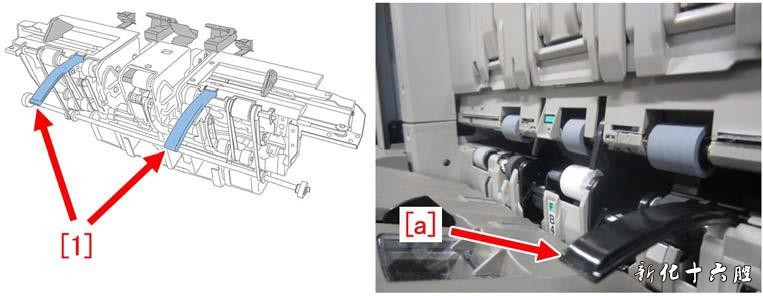
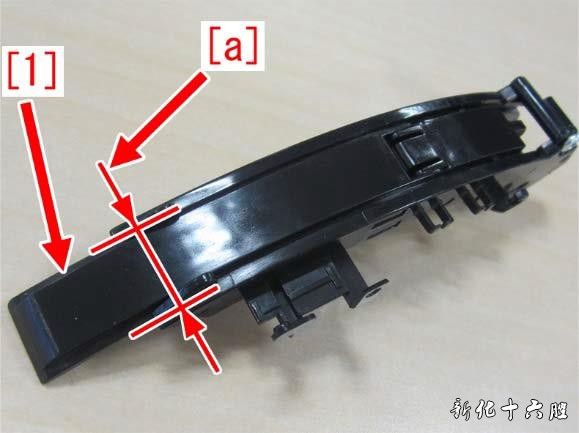
Product Model: iR-ADV C7570 iR-ADV C7580 iR-ADV C9270 iR-ADV C9280 Staple Finisher-X1 Booklet Finisher-X1 Staple Finisher-K1 Booklet Finisher-K1 [Failure Phenomenon] The error code E583-8001/8002 may appear during job printing. -E583-8001: Tray auxiliary rail drive motor error -E583-8002: Tray auxiliary rail drive motor error [Cause of Failure] During the paper discharge process, due to the insufficient clearance of the sliding part of the tray auxiliary guide [1], the load on the upper auxiliary guide increases when it moves; finally, the auxiliary guide stops due to the front edge of the tray auxiliary guide being stuck. [a] and cause the above failure to occur.
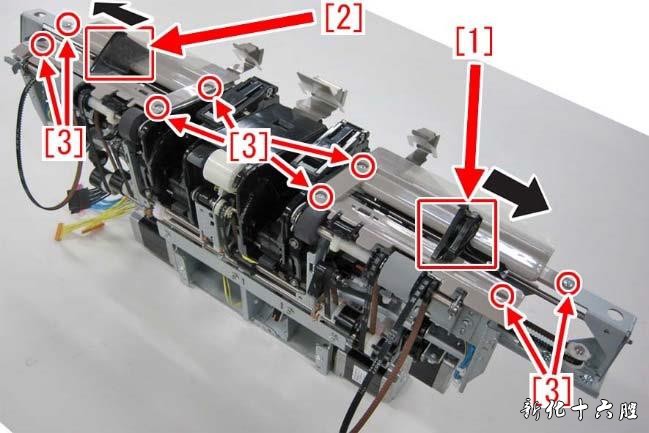
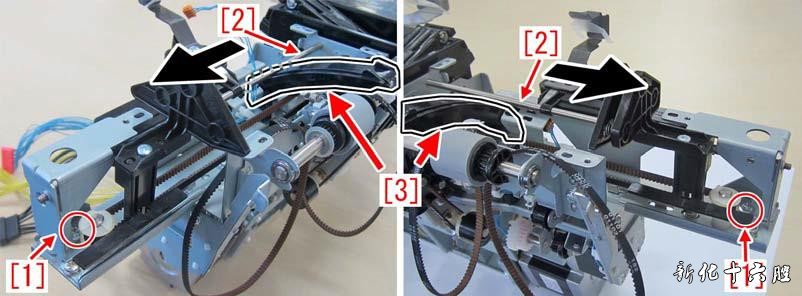
[Maintenance measures] Prepare the forward sub-track assembly (FM4-4744-000) and the aft sub-track assembly (FM4-4746-000) for these faults, Replace the tray auxiliary rail components as follows. 1) Remove the handling tray unit according to the instructions in the maintenance manual. 2) Move the forward collimated plate [1] and the aft collimated plate [2] in the direction of the arrow, and then remove the screws [3](x8).
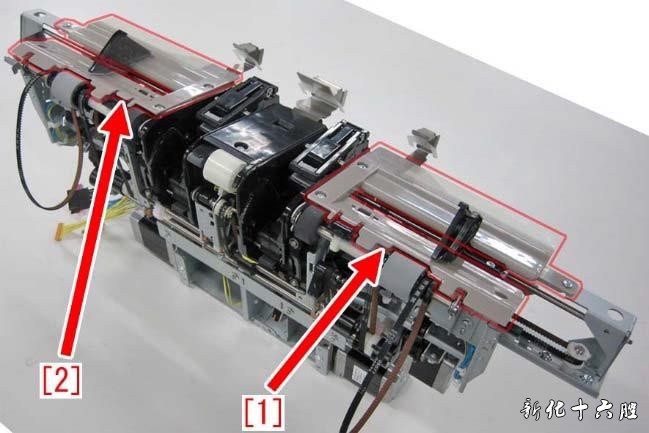
3) Remove the front handling tray [1] and the rear handling tray [2].
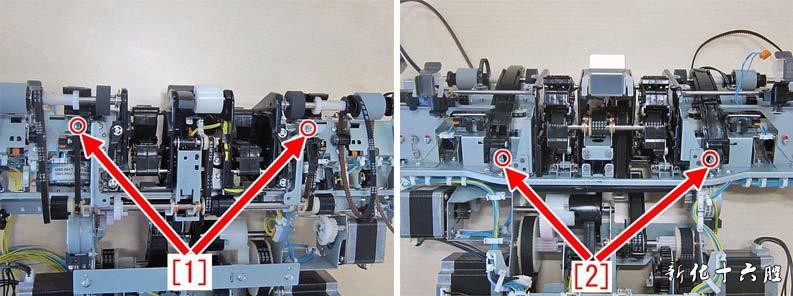
4) Remove the screws on the front [1](x2) and rear [2](x2) of the disposal tray unit.
5) Remove [1] screws (x2) and move the shaft [2] in the direction of the arrow. Replace the tray auxiliary track [3] with the front auxiliary track set. piece (FM4-4744-000) and rear side sub-rail assembly (FM4-4746-000).
6) Reinstall the parts removed from step 5) in the reverse order. [Factory Countermeasures] Prevent the secondary track [1] from getting stuck by modifying the dimension of the tray secondary track leading edge [a].
|
Address of this article:https://073868.com/post/2614.html
Copyright Notice:
For relevant infringements, reports, complaints and suggestions, please send E-mail:weixiuwang68@qq.com







