
|
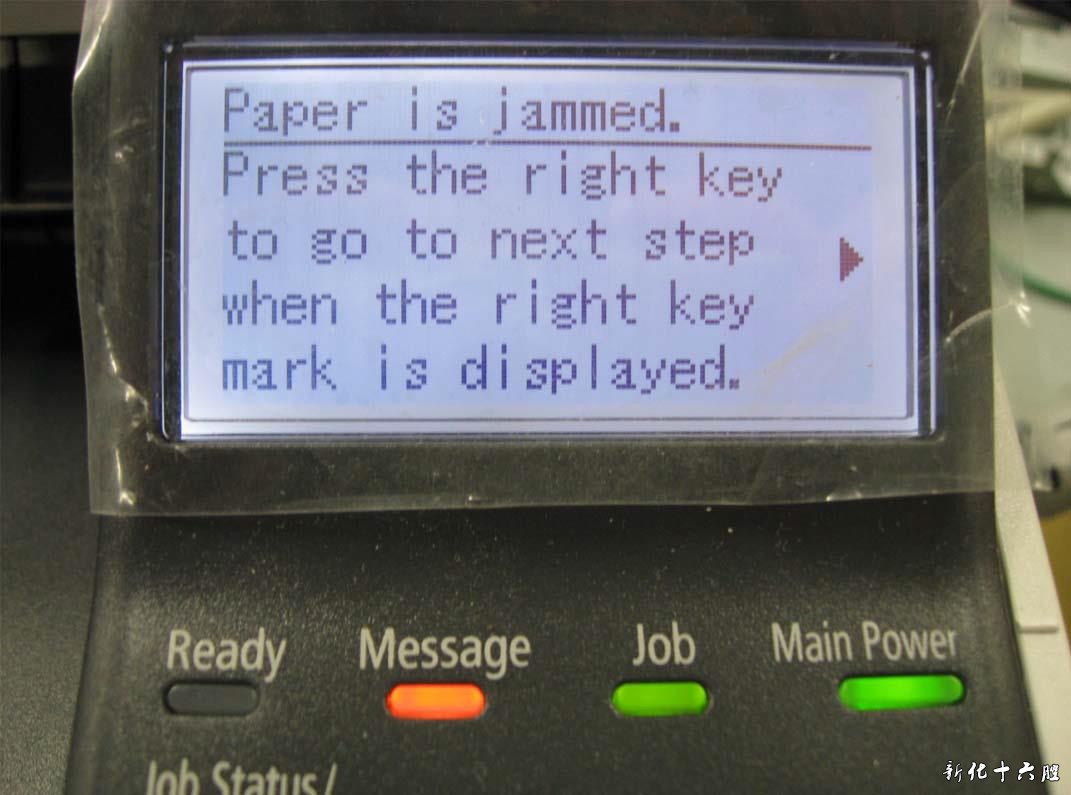
[Content details] The printer stops the paper at the alignment shutter during operation, and the screen displays' Paper jam '.
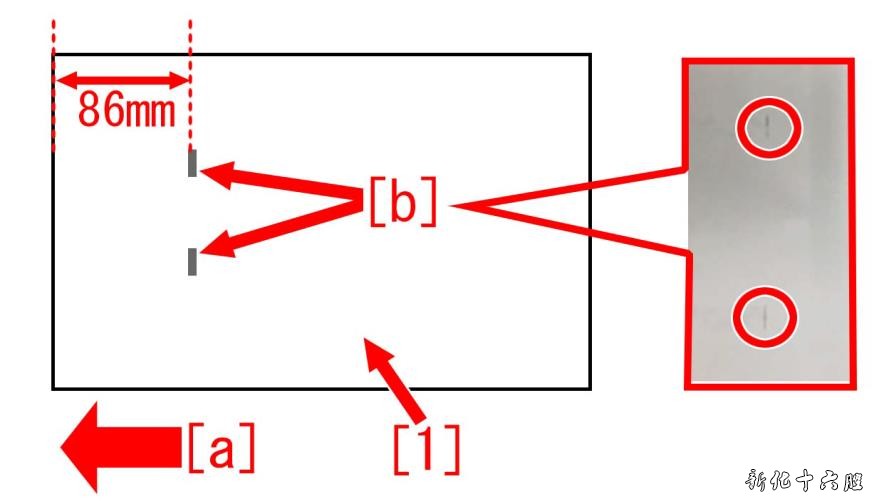
After removing the cardboard, it was found that there were two conveyor wheels rubbing and slipping at a distance of 86mm from the front end of the paper transport direction on the back of the paper.
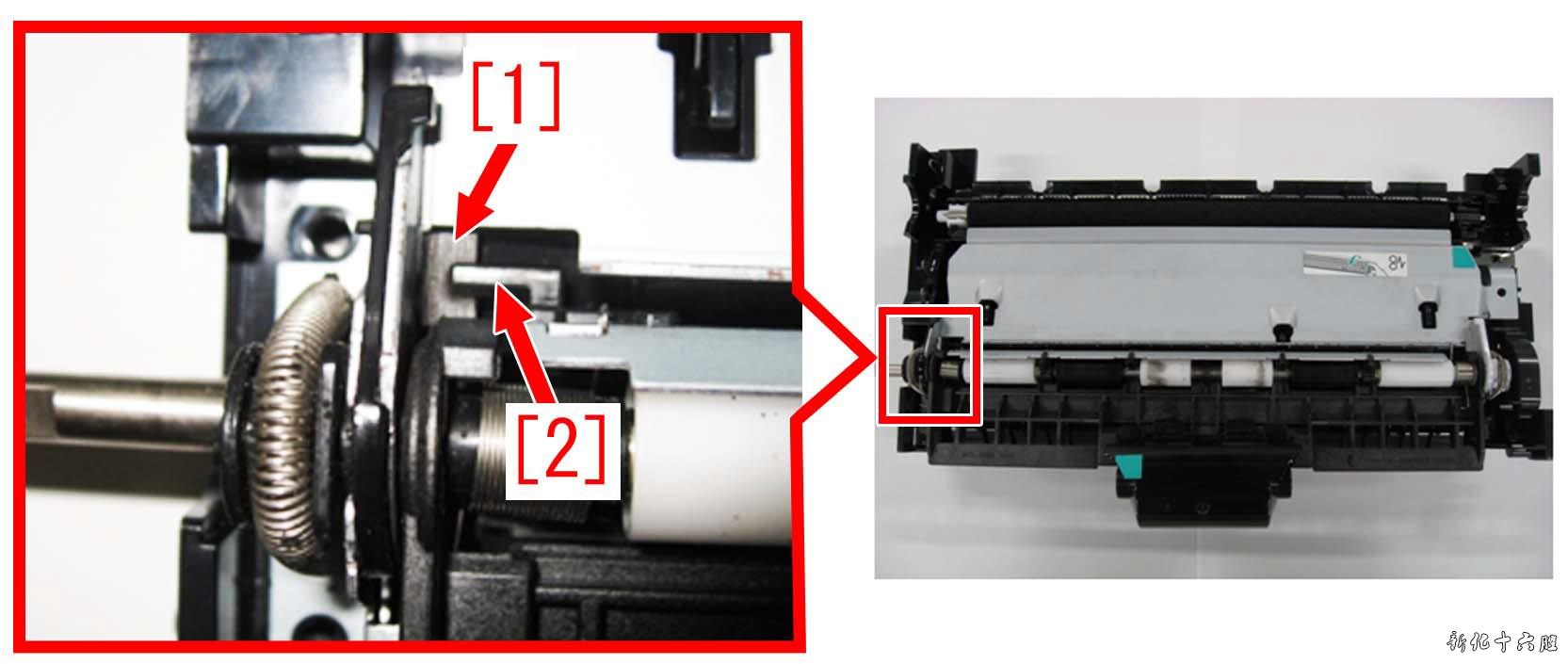
[Cause] Due to the durability of the life of the alignment damping [1], there is a certain delay when the blocking arm [2] of the alignment part contacts the alignment damping [1] due to the opening and closing of the alignment shutter. If the opening and closing action is delayed, it will cause paper jams when the paper reaches the alignment shutter and the alignment shutter does not open properly.
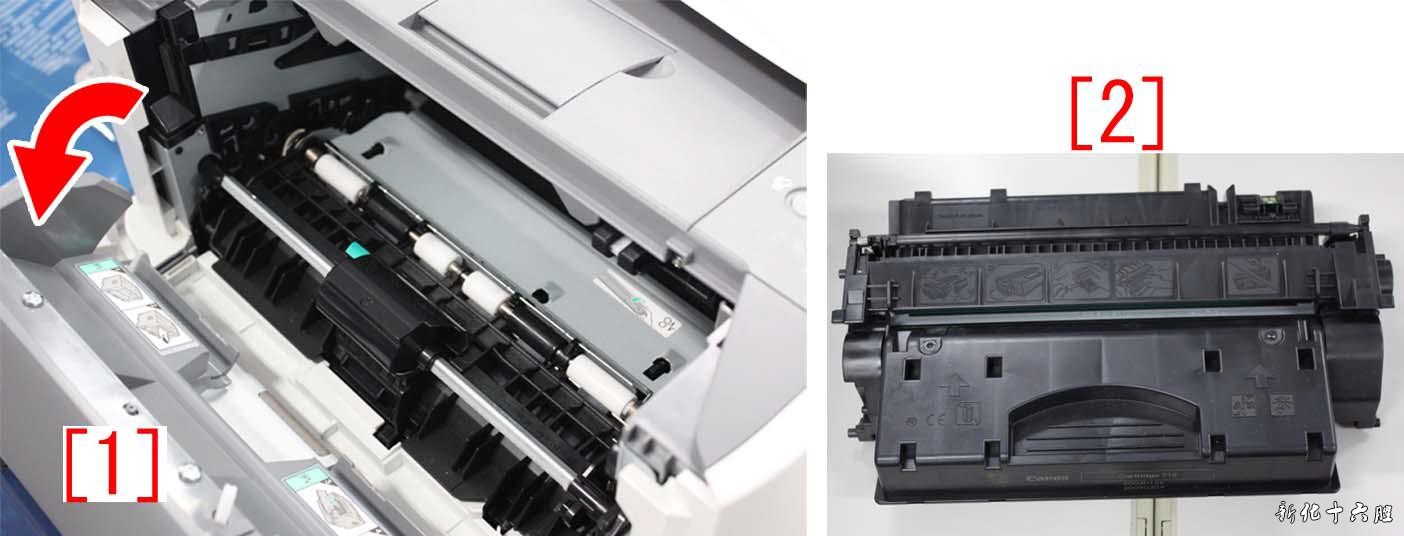
[Maintenance Handling] If the above situation occurs, please replace the new model of alignment damping block (RC2-6075-000). 1) Remove the cardboard and confirm the back of the paper. 2) Open the front cover 【 1 】 and remove the drum component 【 2 】.
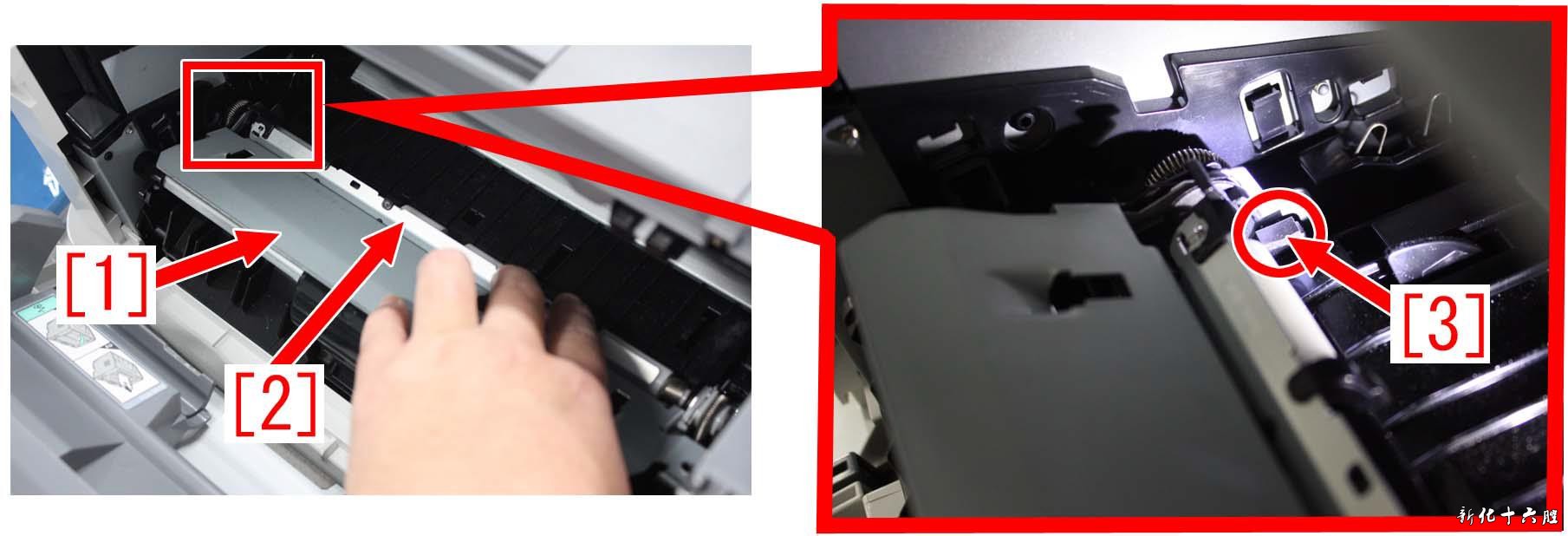
3) Open the sheet metal 【 1 】 and the alignment shutter 【 2 】, and press them with your hand while they are open. There is alignment damping on the left inner side [3].
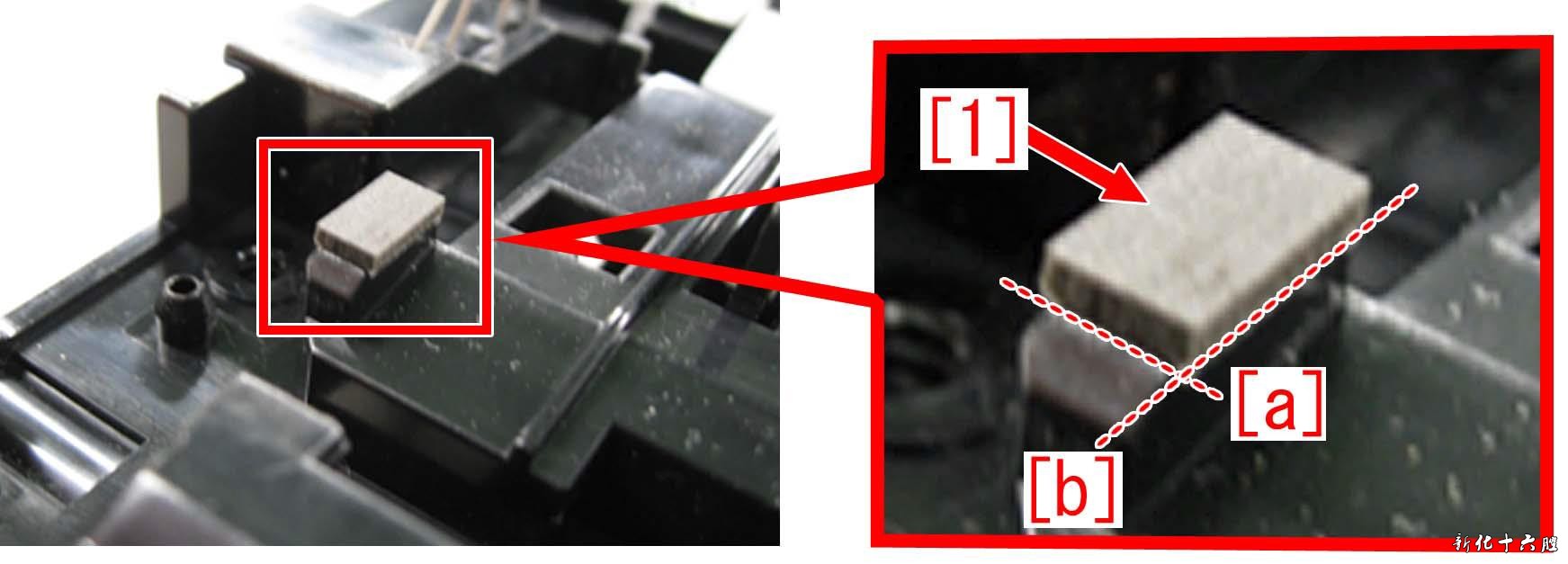
4) Peel off the alignment damping [1] and clean the adhesive surface with lens paper and alcohol. 5) Stick the new alignment damping in a tight fit according to the positions of reference lines [a] and [b].
6) Place the drum component in and close the front cover. |
Address of this article:https://073868.com/post/2613.html
Copyright Notice:
For relevant infringements, reports, complaints and suggestions, please send E-mail:weixiuwang68@qq.com
Tags: #Screen display card jam #LBP6650n #6670dn







