
|
Symptom: 8120 printing paper jam J093 Reason: Double sided conveyor motor 2 does not rotate
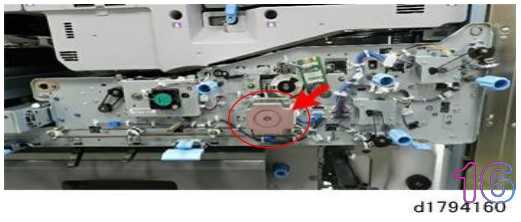
Solution: 1. Test printed A3 and A4 paper, both of which got stuck at the connection between the left and right side of the double-sided guide plate. When the front door was opened for printing, it was found that the double-sided conveyor motor 2 was not working. After swapping the left and right double-sided conveyor motors, the paper still got stuck. J093 double-sided conveyor motor 2 was not working, and the paper did not follow the motor transfer. Therefore, it is judged that this motor is normal
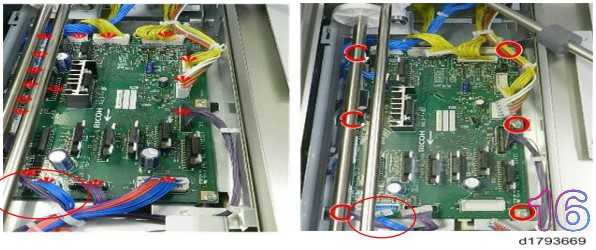
2. Enter SP5804-083 to test that the double-sided conveyor motor 1 is running normally, and SP5804-084 tests that the double-sided conveyor motor 2 is not moving, indicating that the motor may have no input current 3. According to the circuit diagram, the double-sided conveyor motor 2 is powered by the CN267 on the DRB. After cleaning the DRB board and plugging in and unplugging the CN267 plug and the intermediate adapter plug, the power on test showed that the printing was normal. |
Address of this article:https://073868.com/post/1346.html
Copyright Notice:
For relevant infringements, reports, complaints and suggestions, please send E-mail:weixiuwang68@qq.com
Tags: #J093 #8120 #8100 #Double-sided guide plate #Double sided conveyor motor







