
|
A Simple Description of Ricoh IM C6000 Print Driver Operation Mode
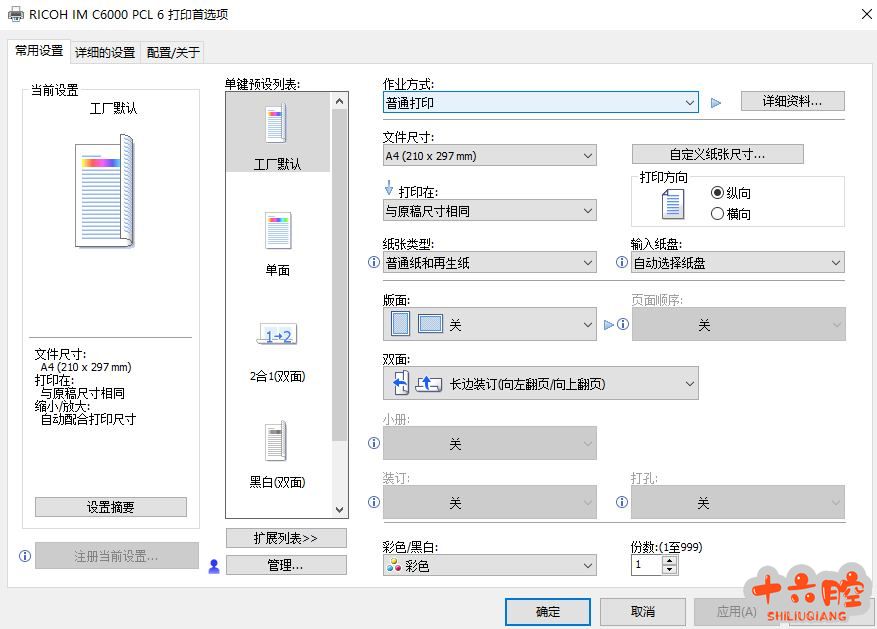
1. Ordinary printing The file is printed directly and automatically deleted after printing. Details: Enter your user ID. User identification number: The user ID is displayed on the control panel to indicate the owner of the file. Specify whether to enter a user ID, otherwise the machine will automatically enter a Windows login name as the user ID. Enter User Identification Number: When entering a user ID, please enter a maximum of eight single byte alphanumeric characters. 2. Sample printing If a document is printed in multiple copies, select sample printing. After the print data is transmitted to the machine, only one copy will be printed. After checking the print, you can choose whether to print the remaining copies or delete the file without printing on the printing interface (traditional printing). If the remaining copies are printed, the file will be automatically deleted immediately after printing. Details: Enter your user ID. User identification number: The user ID is displayed on the control panel to indicate the owner of the file. Specify whether to enter a user ID, otherwise the machine will automatically enter a Windows login name as the user ID. Enter User Identification Number: When entering a user ID, please enter a maximum of eight single byte alphanumeric characters. [kkpay=4] Link: https://pan.baidu.com/s/1gPkk1ZNaE8AiFP0IMW7gbA Extraction code: 3w8k [/kkpay] |
Address of this article:https://073868.com/post/1019.html
Copyright Notice:
For relevant infringements, reports, complaints and suggestions, please send E-mail:weixiuwang68@qq.com
Tags: #C6000 #Print Driver #C3500 #operation method #User ID







