|
1. new local shared folder:
1. Right-click under the D disk to create a new folder, and take any folder name, such as "Scan File", then right-click "Properties", click "Share" tab, click "Share This Folder", and enter English letters, such as "xxb", in "Share Name (H)". Be careful not to use Chinese.

2. Click "Permissions", then click "Add", enter "Administrator" users, and click "OK".
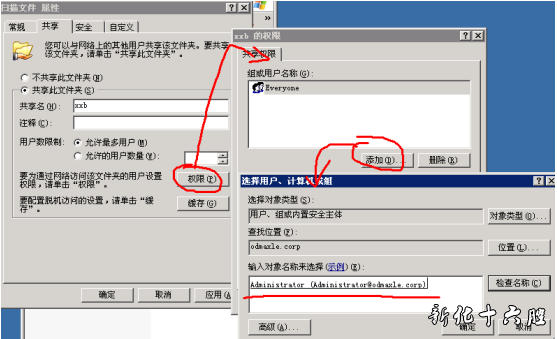
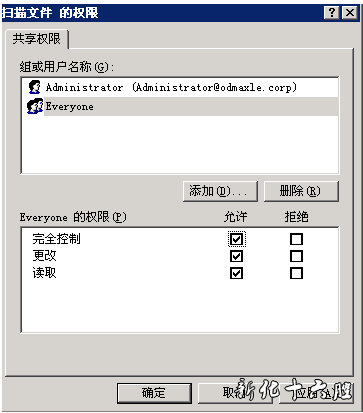
3. Finally, the "Administrator" and "Everyone" user permissions are set to allow, "OK.
2. Scan Management Settings
- Open IE, enter "IP address of copier", enter, "user name" and "password" are provided by the management department, and click "login" after entering ".
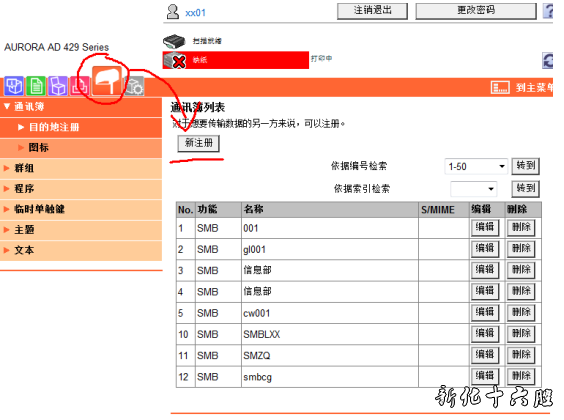
- Click the icon shown in the figure below, and then click "New Registration"
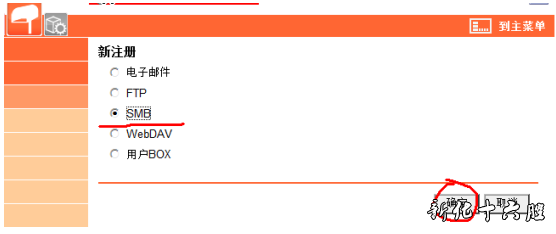
- Select SMB and OK.
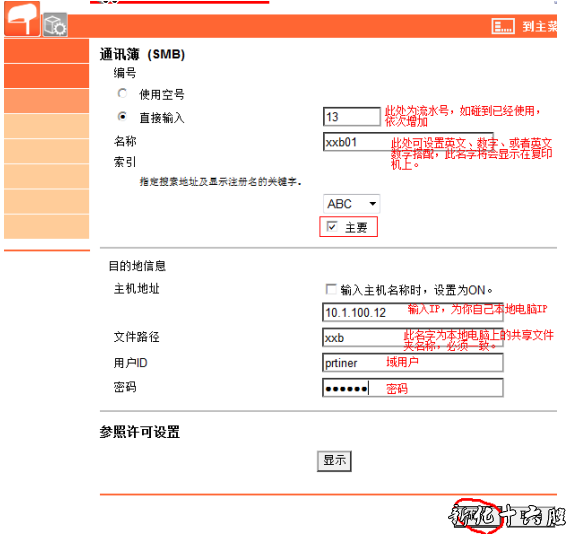
- According to the following figure, note that the "file path" is the "share name (xxb)" entered when setting up sharing, and the user ID and password are the user (domain user) and password that you log in to the computer. After the setting is completed, click "OK" to save it successfully.
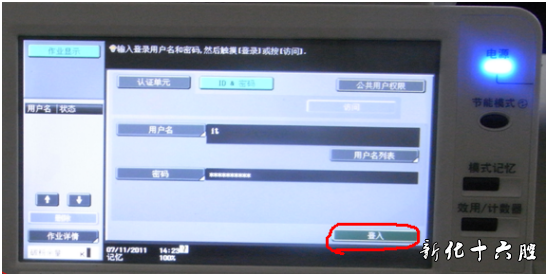
- Scan, place the scanned paper on the scanning glass or tray, enter the "user name" and "password" and "login" provided by the management department on the LCD screen ",
-
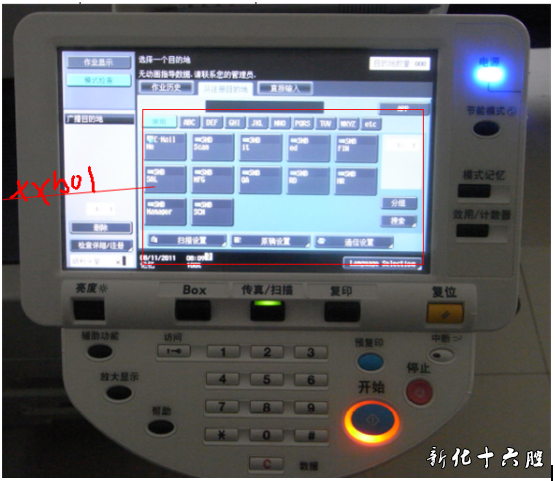
- Press the "Copy/Scan" button, then select the newly registered name "SMB-xxb01" on IE on the LCD screen, and then press the "Start" button to start scanning.
- Go to your computer and open the shared folder you just created to view the scanned files.
|
