|
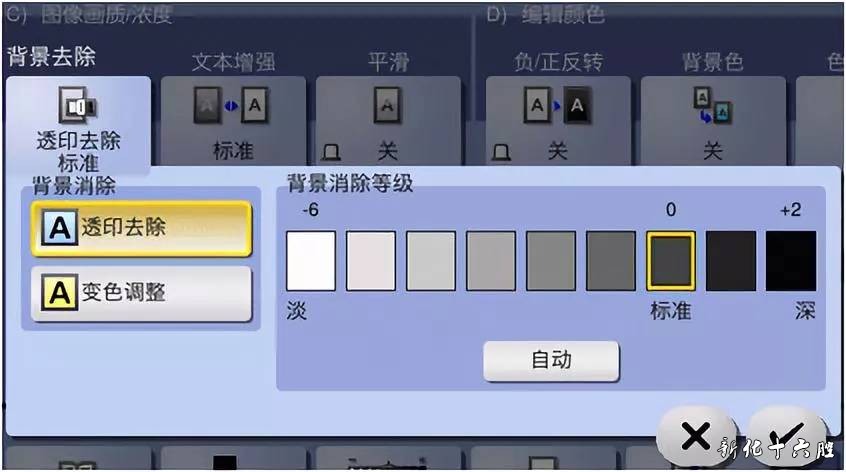
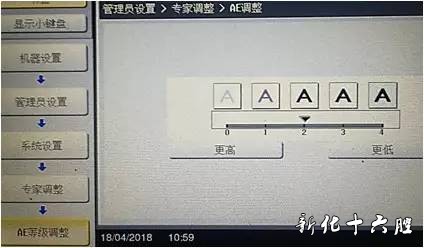
How to adjust the background dust on the copy of Kemei 227/287/367/7528 manuscript table. <机型> 227/287/367/7528 <故障现象> 1. The newly installed machine has a background dust for copying. 2. Pattern on the back of the original manuscript. 3. The document feeder is functioning properly, but there is a slight gray background on the manuscript table. <场地对策> 1. Exclude the reason why the original manuscript paper is not thick and transparent. 2. Exclude the reason for the original paper turning yellow or dark. 3. Use the application - background removal to lighten the level. 4. Some black and white manuscripts can be reduced in density. 5. Administrator Settings - System Settings - Expert Adjustment - AE Level Adjustment. If the document feeder is also available, rewrite firmware G00-Q4 or higher.
|
The copy at the copy desk of Ke Mei 227 copier has bottom ash.
299
0