
|
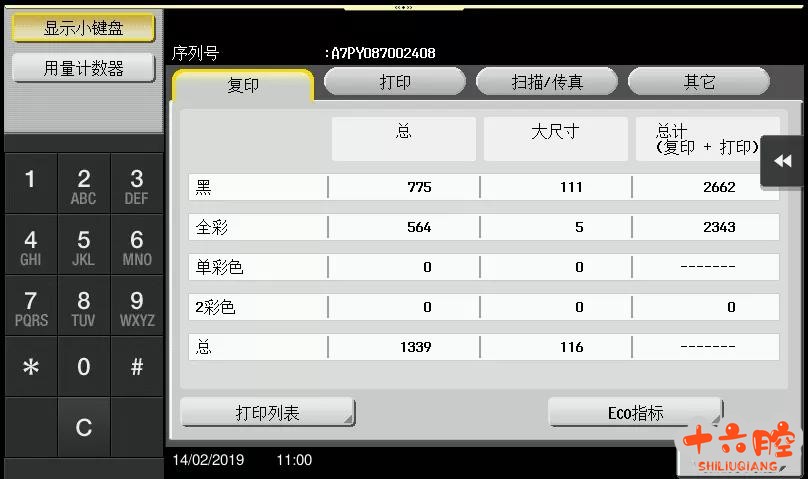
C308, 287, c226 series screen touch failure problem sharing, and solutions<机型>bizhub C308, 287, c226 Series <故障现象>bizhub C308 touch failure, for example: the user clicks the copy function, the machine jumps to the scanning interface <场地对策> Calibrate the display screen as follows: 1. Press [Menu]-> [Counter]-> [Display Keypad] in turn.
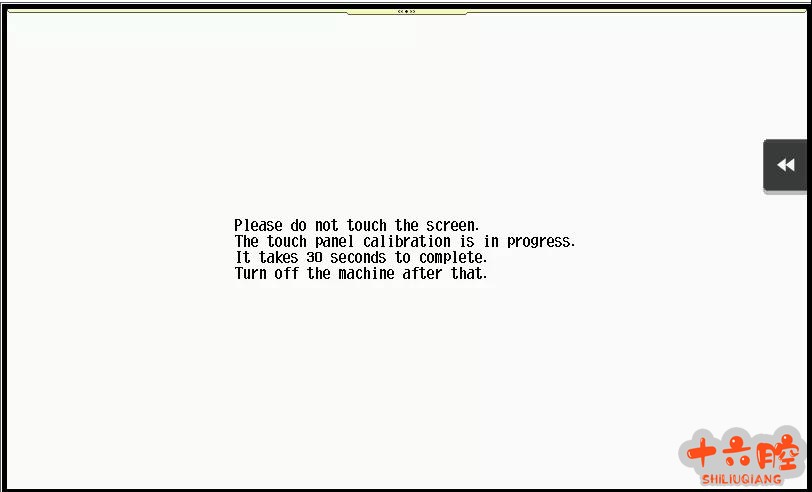
2. Press the Stop (stop) -> Clear (clear) -> 1 -> 1 -> 6 -> 6 -> Start (start) key in turn, and the machine will automatically start calibration when the following interface appears.
|
Address of this article:https://073868.com/post/5982.html
Copyright Notice:
For relevant infringements, reports, complaints and suggestions, please send E-mail:weixiuwang68@qq.com







