
|
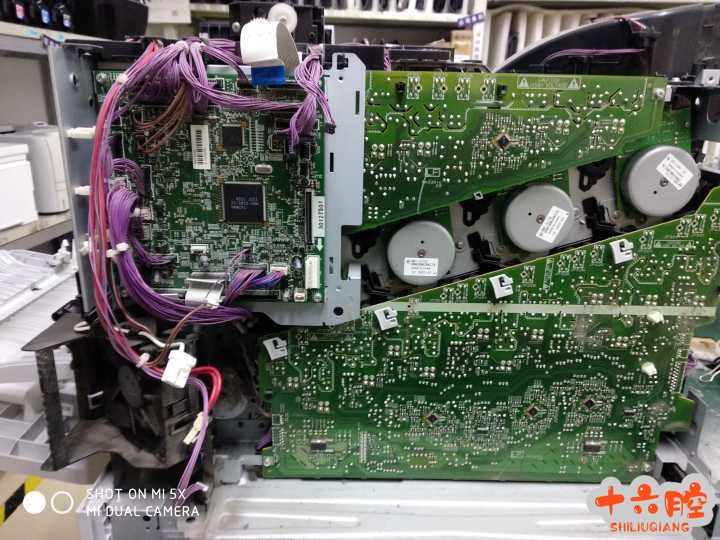
Fault Description: Mid to high end color machine 59.F0 solution, using CP4025 as an example, share pictures of the solution without using spare parts for 59.F0 (When turned on, it reports that it is not ready, or there are intermittent reports during the printing process after turning on, usually after printing three to five sheets.) Resolution process: 59.F0 error - transfer separation fault To put it simply, the error in this report is a malfunction during the ITB transfer printing separation process. The power source of ITB is provided by the heating drive gear set, and the relay in the heating drive gear set manages the power scaling of ITB. The nature of the fault caused by the aging of the relay sponge gasket in the feeding component of M1005, which keeps lifting the paper during loading, is the same. CP4025 Remove the back cover, motherboard, and power board view[kkpay=5]
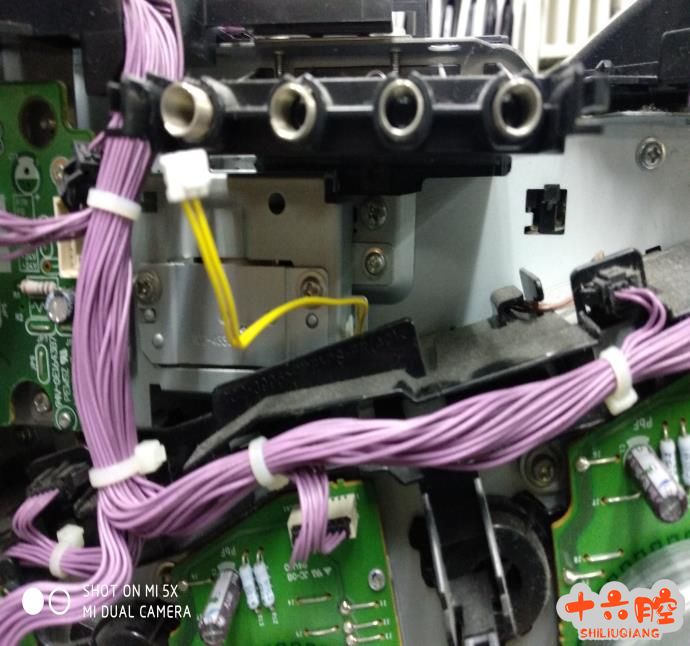
Main part diagram (to remove the high voltage and DC board). Pay attention to the distribution of lines) as shown in the following figure
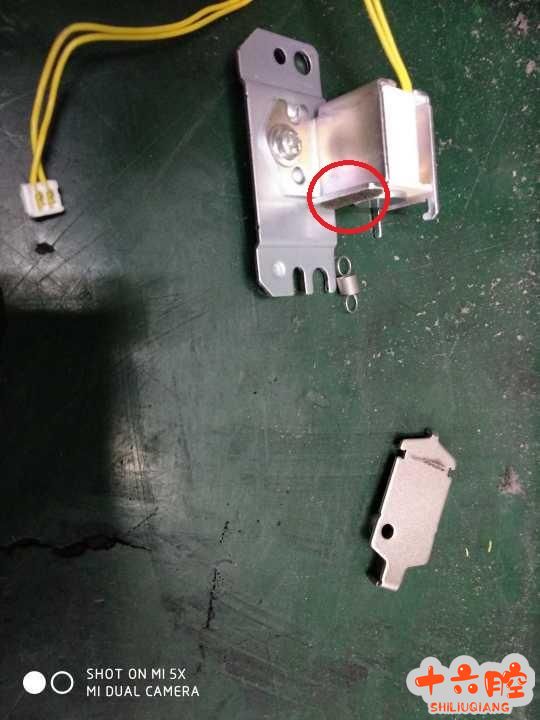
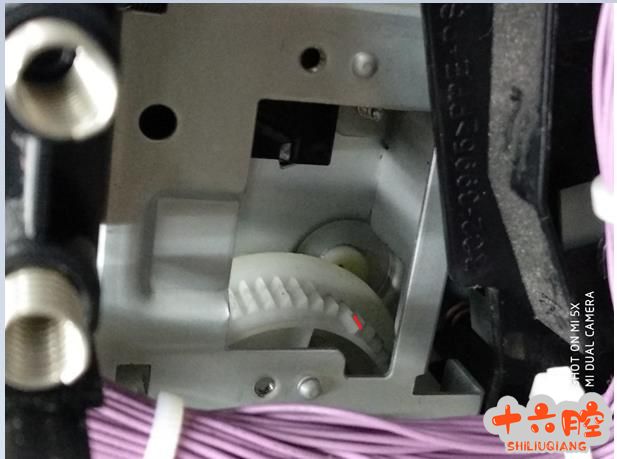
The heating component drives the aging of the sponge texture on the relay inside the gear set. To DIY the height, usually two layers of masking tape are sufficient The gears that interlock with the relay should be aligned, and the relay should press against the lower teeth[/kkpay]
No need to replace spare parts for a perfect finish. Universal CP3 4 5 series Share summary: Laser color machine, black and white, high and low-end machines; There may be differences in the structure and handling of work details, but the working principle, namely the six steps of imaging, is the same. Many solutions for fault reporting are similar in nature. Based on the six steps of imaging corresponding to the spare parts involved in each step, combined with the printing volume and internal cleanliness of the corresponding machine, effective use of upper half self-test, engine self-test, and consumable shielding contacts, NVRAM, Minimize testing (remove optional attachments) and upgrade firmware. It can solve most of the problems we see. |
Address of this article:https://073868.com/post/5980.html
Copyright Notice:
For relevant infringements, reports, complaints and suggestions, please send E-mail:weixiuwang68@qq.com
Tags: #Transfer separation #CP4025 #ITB







