
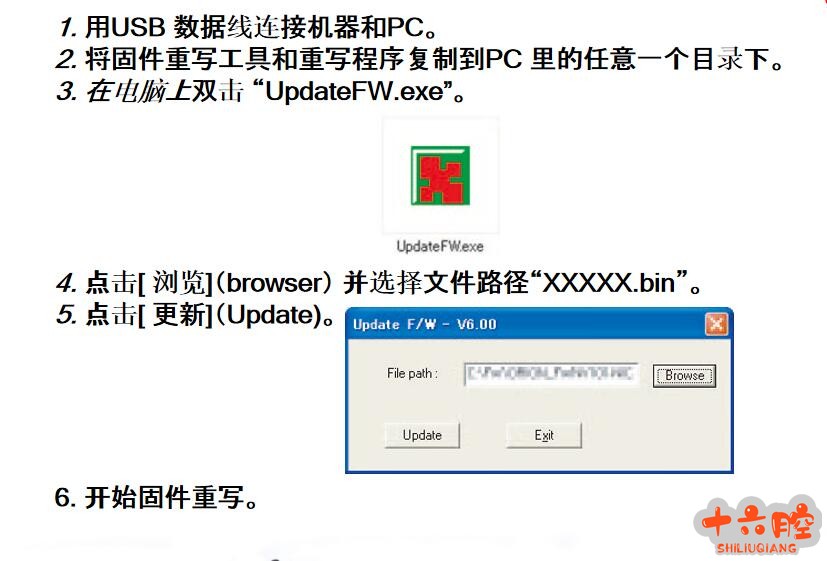
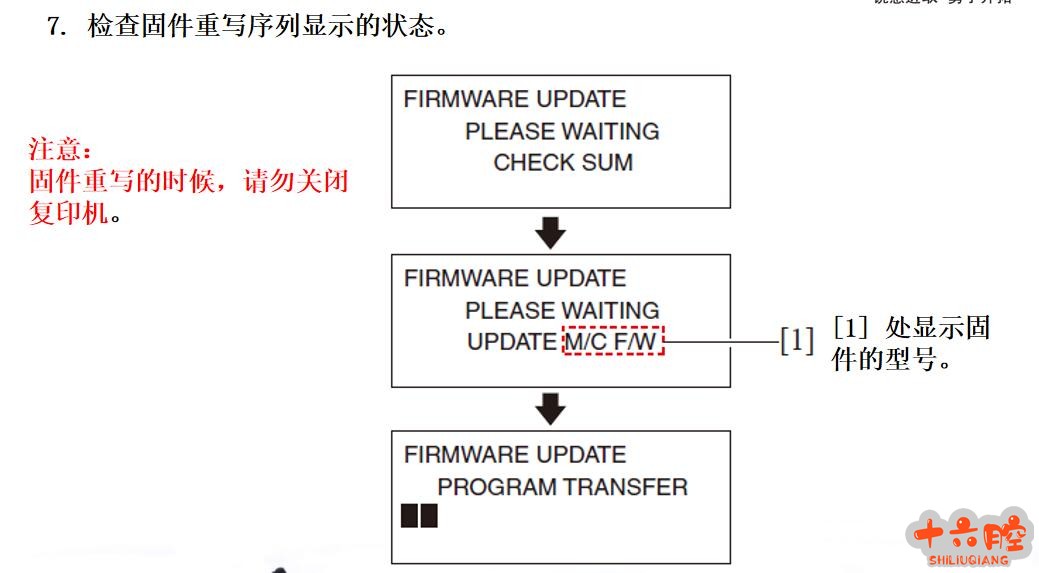
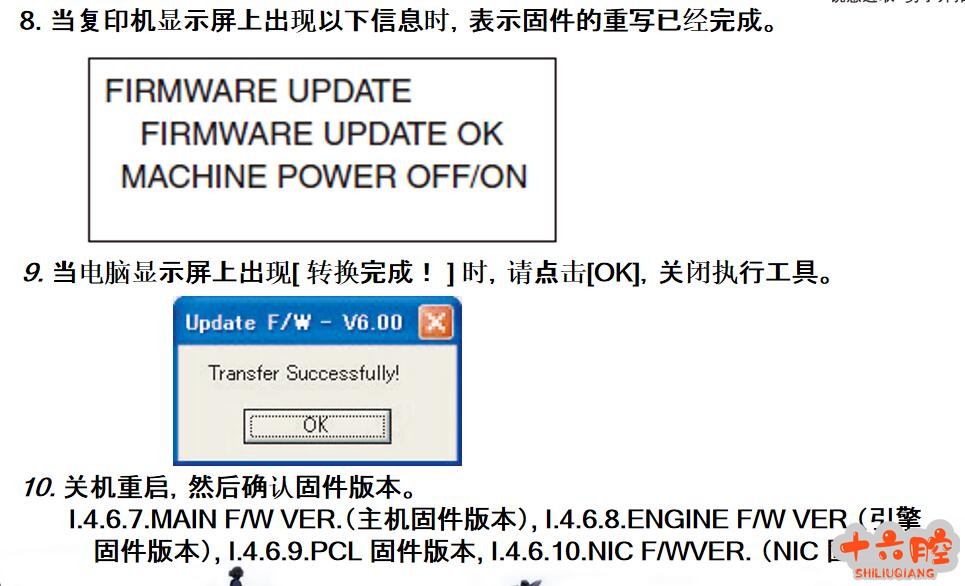
There are two ways to update the firmware:
Orion bizhub 195/215/235/7719/7723 Pegasus bizhub 184/164/7718 Pegasus-S bizhub 185/7818 Taiga bizhub 223/283/363/423/7828 Zeus 5 bizhub C221/C221s/C281/ C7122 (corresponding to C221)/C7128 Zeus bizhub C224—C554 bizhub 224--554 Zeus MLK bizhub C224e-C554e bizhub 224e-554e Minerva bizhub C654/754 bizhub 654/754 Minerva MLK bizhub C654e/754e bizhub 654e/754e Poseidon bizhub227/287/367
Other models method reply view Link: https://pan.baidu.com/s/1nZtXTtg8JsETDHWo584oUg Extraction code: o4cc |
Address of this article:https://073868.com/post/5973.html
Copyright Notice:
For relevant infringements, reports, complaints and suggestions, please send E-mail:weixiuwang68@qq.com
Tags: #Ke Mei #Firmware upgrade #Tutorial






