
|
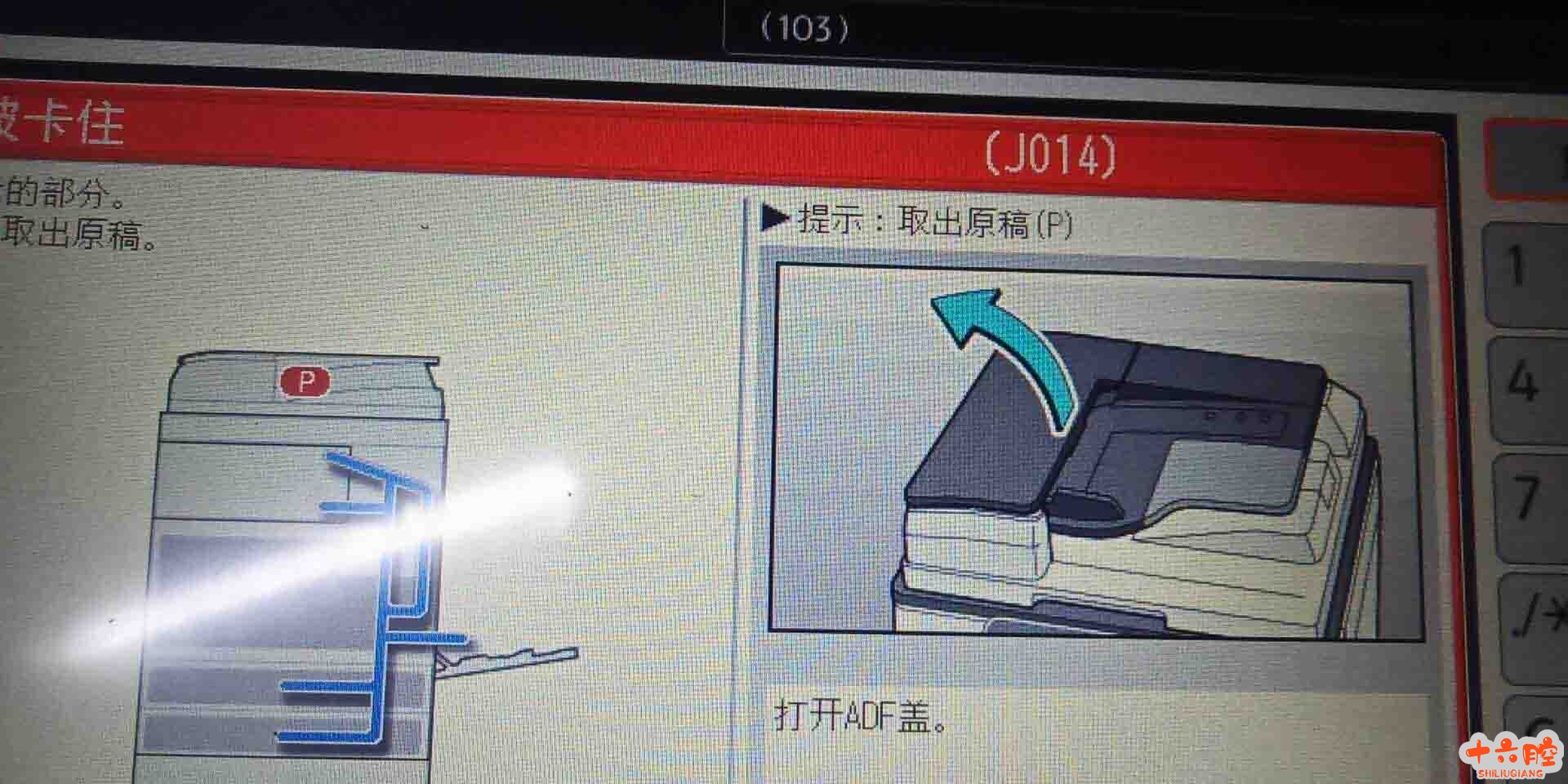
When performing multiple double-sided scans (usually around 20 minutes for the original manuscript), the MP2555SP DF3090 displays a paper jam after the last scan is completed, and the single-sided scan is normal. The fault prompt is as follows:
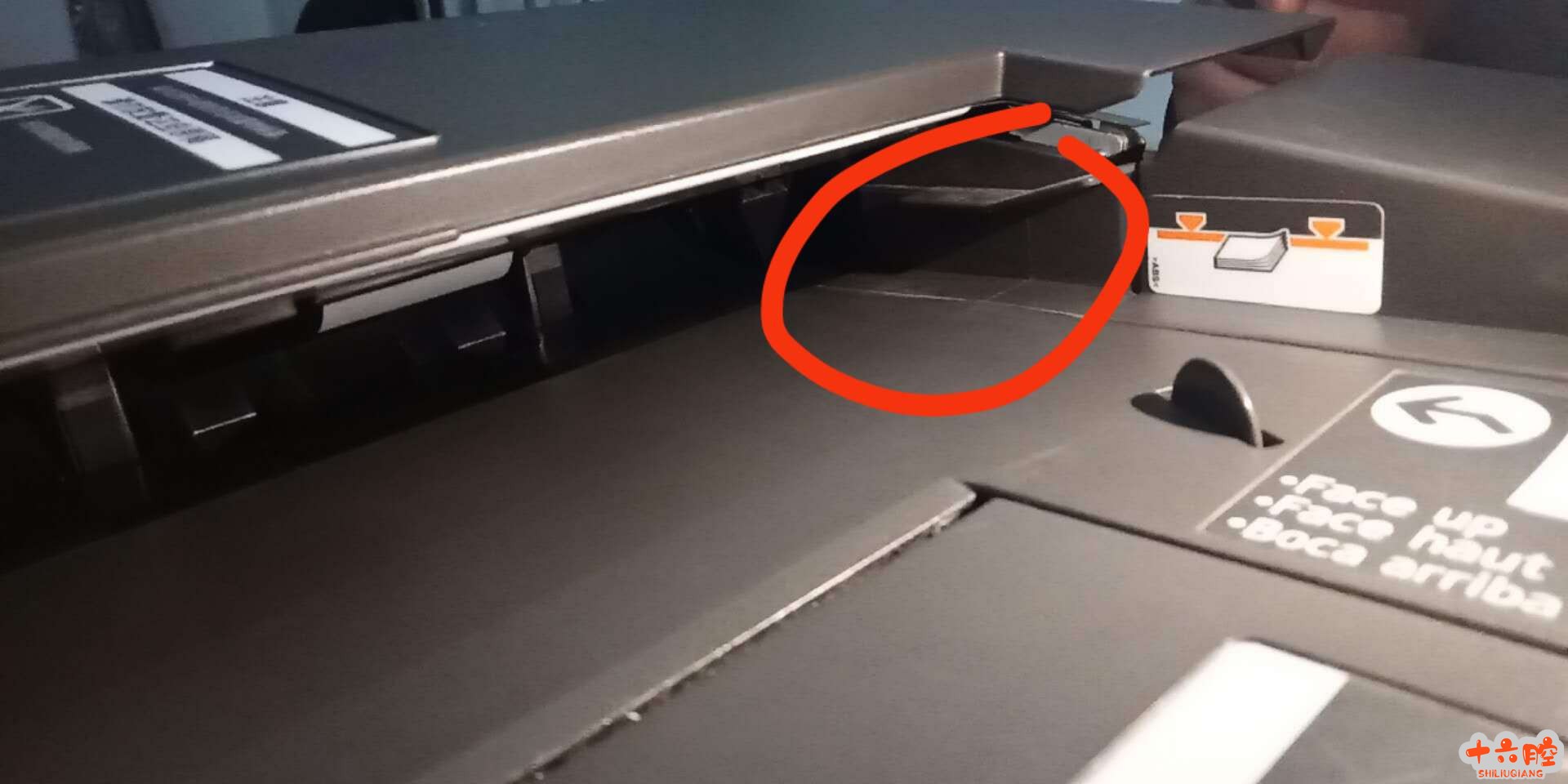
Possible causes: Poor paper roller of the paper feeder/poor paper output sensor of the paper feeder Maintenance process 1. Scanning test, 100 sheets scanned on one side, DF is normal; Test double-sided scanning, scan 20 original drafts, and when the last original draft is printed from DF, the machine reports a paper jam error J014; 2. Check the SP paper jam data, all displayed as DF paper sensor detection; 3. Replace the DF paper output sensor, but the fault persists; 4. Clean the DF paper rubbing component, but the malfunction persists; Replace the DF paper rolling component, but the fault persists; 5. Observing the paper rubbing status of DF again, it was found that there was an unnatural way for the sensor contact arm to fall off the DF original manuscript. After manual testing, the position of the contact arm was found to be misaligned, and it was readjusted, reinstalled, and repaired; The position of the parts is shown in the following figure:
Solution The fault was caused by the misalignment of the sensor contact arm in the DF manuscript. It was readjusted and repaired; |
Address of this article:https://073868.com/post/5724.html
Copyright Notice:
For relevant infringements, reports, complaints and suggestions, please send E-mail:weixiuwang68@qq.com
Tags: #Paper jam #Double-sided #2555





