
|
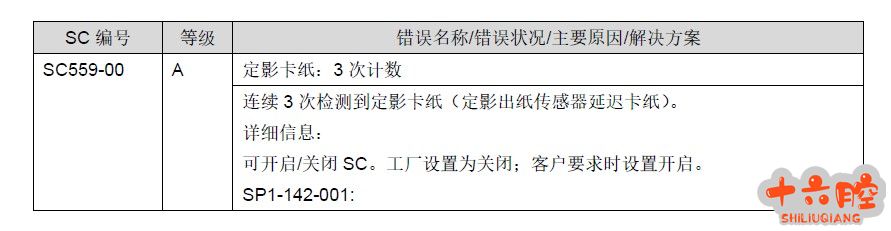
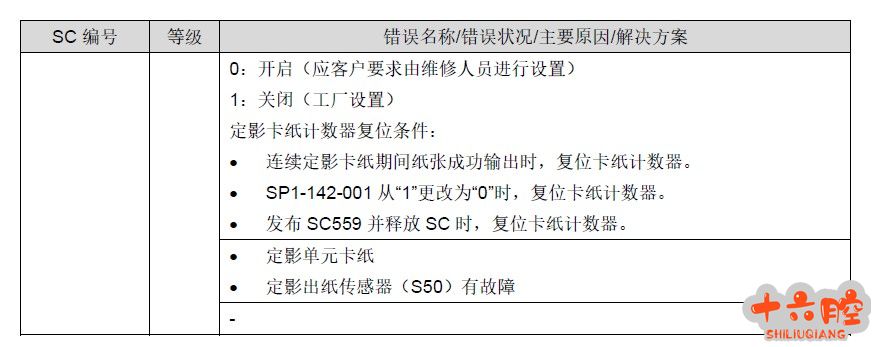
High speed color machine: MPC6502 series/MPC6503 series/IMC6500 series SC559-00 fault code solution Symptoms: An IM C6500 model initially had a SC442-00 fault code. After the engineer checked and replaced the image transfer unit lifting motor, the fault code was eliminated. However, SC559-00 repeatedly shut down and could not be eliminated.
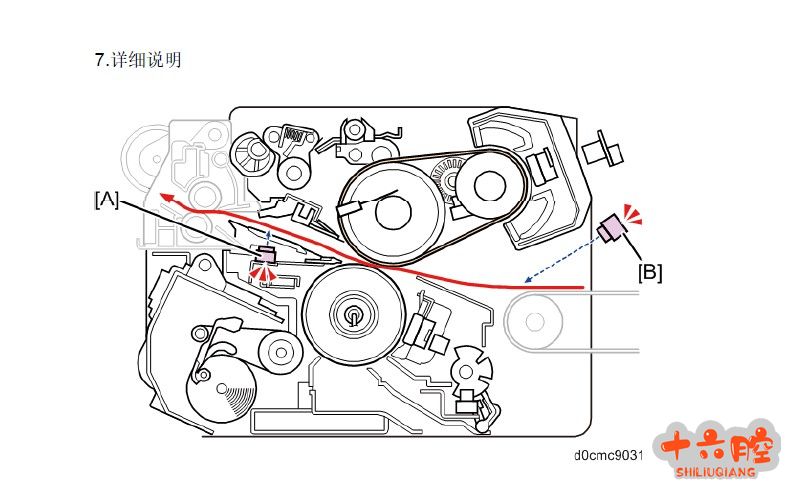
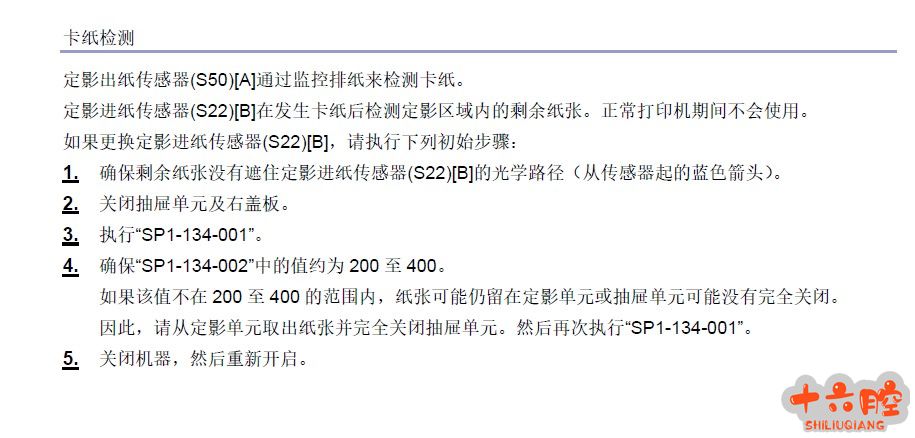
Maintenance process: 1. Set up SP1142-001 according to the maintenance manual instructions, but the fault persists; 2. Upgrade firmware, but the fault persists; 3. After backing up the data, execute SP5801 (total cleaning), but the fault persists; 4. When the drawer unit is pulled out and the machine is turned on, it displays D2 paper jam; 5、Through further study of the "fixing section" in the maintenance manual, it was found that the fixing inlet sensor of this series of models can be adjusted. Follow the manual to execute SP1134-001 and then restart the machine to troubleshoot the problem.
Subsequent summary: This series of models differs from the low-speed models that require a lot of daily maintenance in terms of card jam detection at the fixing inlet. The fixing inlet sensor needs to be recalibrated and adjusted after cleaning or replacement (SP1134). The working principle of this sensor is similar to that of an ID sensor - light reflection detection. Compare the detection results with the preset threshold and make a paper jam judgment. |
Address of this article:https://073868.com/post/5605.html
Copyright Notice:
For relevant infringements, reports, complaints and suggestions, please send E-mail:weixiuwang68@qq.com
Tags: #c6500 #c8000 #SC559 #Image transfer unit #lifting motor







