
|
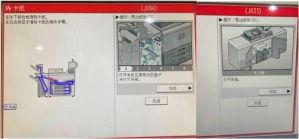
Symptoms: Pro 8300 cardboard A4 (J084), A3 (J035).
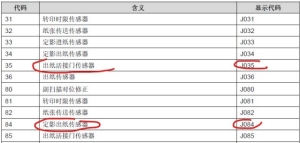
Reason: The customer experienced frequent paper jams during the 8300 printing process, with A4 paper jam code J084 and A3 paper jam code J035, resulting in the inability to output the last sheet of paper Solution: After arriving at the scene, the first thing I checked was the direction of the cardboard code according to the 8300 manual. The code descriptions were for the paper output movable joint door sensor and the fixed paper output sensor
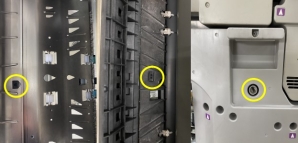
2. The code points to two different sensors after fixing. After cleaning both sensors separately, manually rotating the fixing heat roller with a tool, it was found to rotate smoothly without any jerkiness.
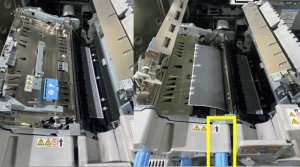
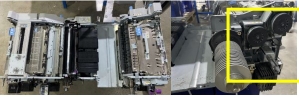
3. Start testing printing A4 paper, open the drawer after the paper jam, and observe the position of the paper jam. It was found that the A4 paper had basically detached from the fixing, and the paper jam stopped at the cooling belt. It was suspected that there was a driving problem at the cooling belt. Manually rotating the driving lever was very smooth without any abnormal resistance.
4. Check the entire end of the large drawer, with a focus on identifying issues with the drive motor and other related parts at the back end.
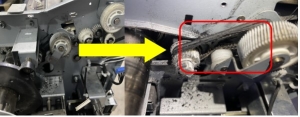
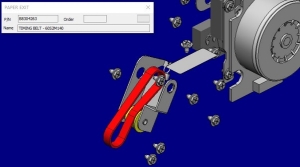
After removing the drive motor of the cooling belt, it was found that the drive belt was worn and detached from the tension wheel, causing the cooling belt speed to be incorrect and resulting in paper jam.
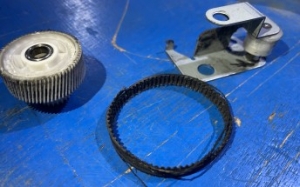
6. Dismantled the drive belt and found that the belt bite was still acceptable. After trimming and preparing to install it, it can still be used reluctantly. Replace the belt after it arrives.
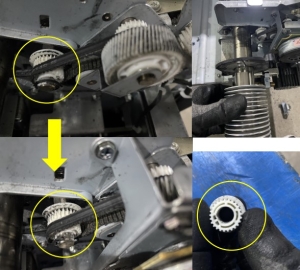
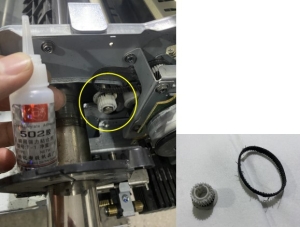
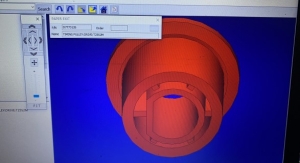
7. After reinstalling the belt, manually drive the cooling rod to observe the position and status of the belt. After a few turns, it was found that the driving white wheel was running inward. If you continue to turn it, the belt will eventually fall off. Upon disassembling the white drive wheel for observation, it was found to be a D-shaped wheel with a cut surface. The plastic inside cracked, causing the parallel cut to deform into a circular shape, making it impossible to fix its position. As a result, the driven belt was affected and fell off. As a result, paper jams are generated.
After careful consideration, it was decided to first fix the white drive wheel with 502 glue and forcefully lock its position. Ensure that the belt will not fall off due to it, first ensure the normal production of the customer, and then replace it after the pending parts.
After repairing it, I accompanied the printer for 2 hours and left after everything was normal. After three days of waiting, the parts arrived and the problem was completely solved by replacing them with new ones.
|
Address of this article:https://073868.com/post/5601.html
Copyright Notice:
For relevant infringements, reports, complaints and suggestions, please send E-mail:weixiuwang68@qq.com
Tags: #Paper output sensor #J035 #J084 #8300 #drive motor






